Camera Sensor
1. Data Flow Overview
The camera simulation data flow begins at SimOne's image rendering engine. After GPU-based simulation rendering, the image data is transmitted to the real-time target via RDMA or HDMI video injection, and is ultimately received by the ECU and processed by the vision algorithm. The data flow design must ensure that image quality, latency, and synchronization meet the requirements of closed-loop control.
2. SimOne Configuration
This section applies to scenarios where hardware connections (HDMI cables or RDMA injection cards) have already been completed and camera sensor parameters need to be configured in SimOne.
(1) Sensor parameter configuration
Select the intrinsic and extrinsic parameters of the camera sensor to be configured. Key parameters include resolution, frame rate, field of view, mounting position, and orientation to ensure that the simulated image data meets the input requirements of the ECU vision algorithm.
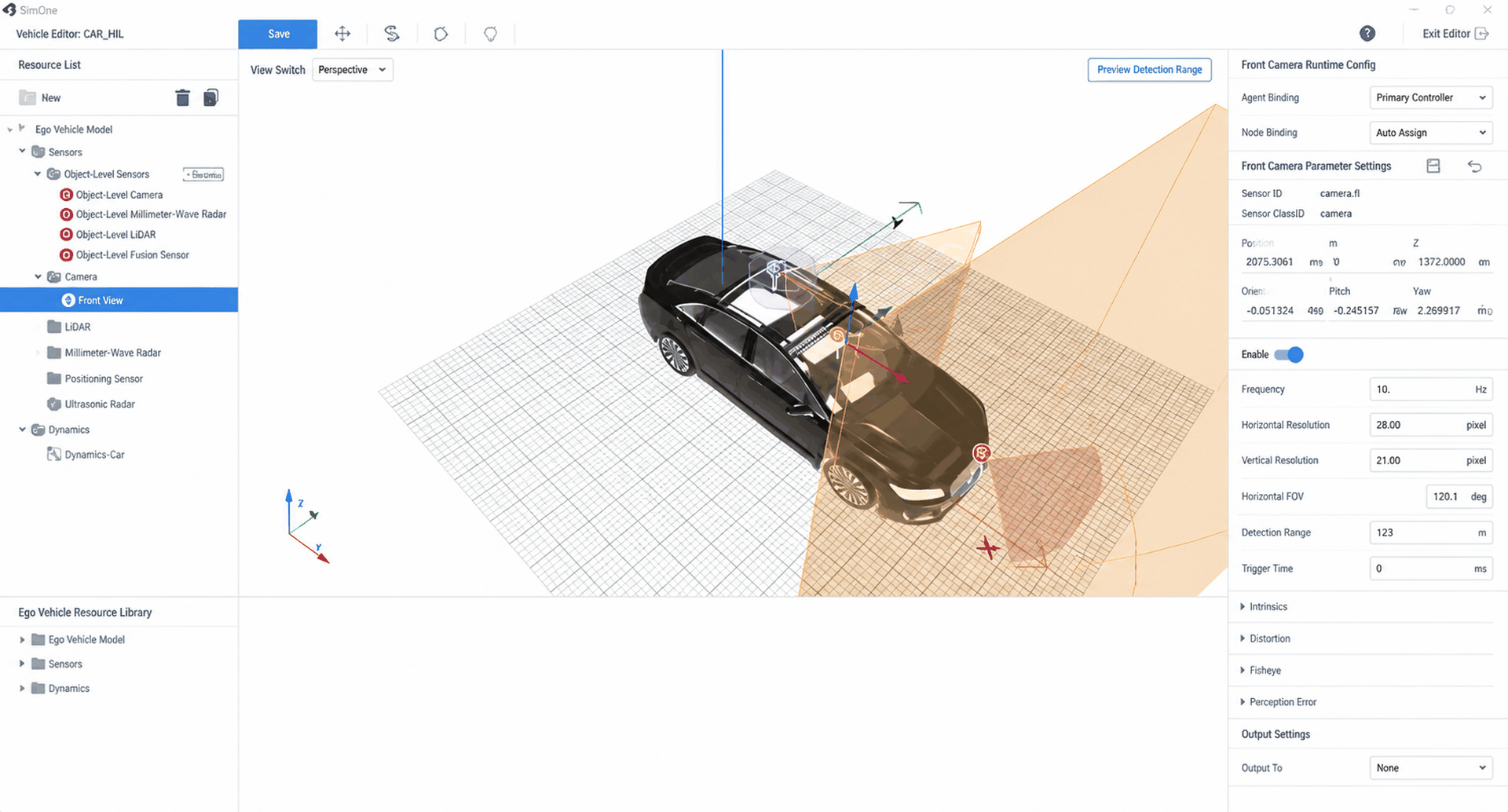
(2) Mode selection
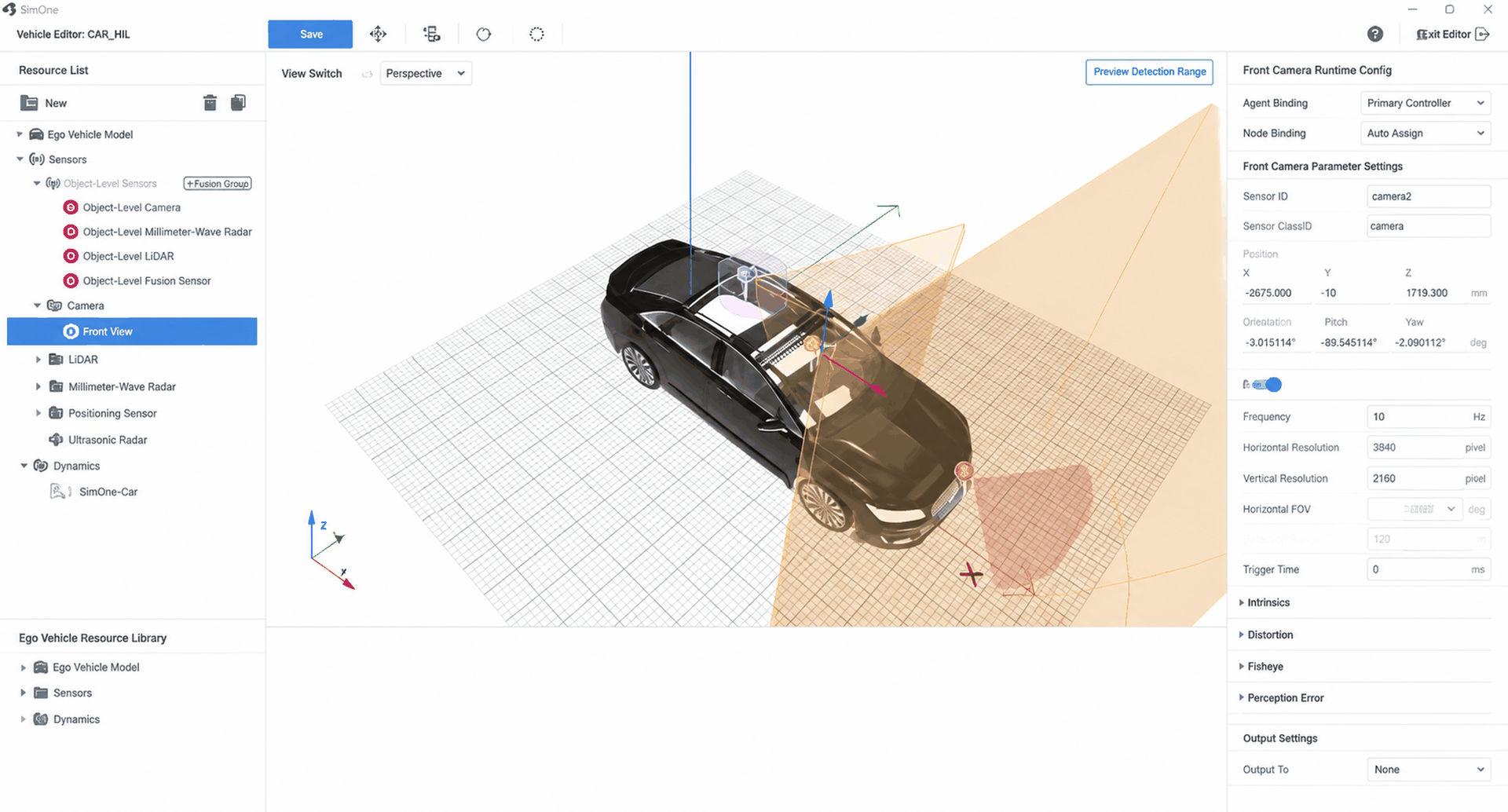
The mode must be selected based on the camera sensor injection scheme. SimOne For HIL supports two video injection methods: HDMI and RDMA. Users can choose the appropriate mode based on actual requirements and system configuration.
- HDMI mode
- RDMA mode
Tip
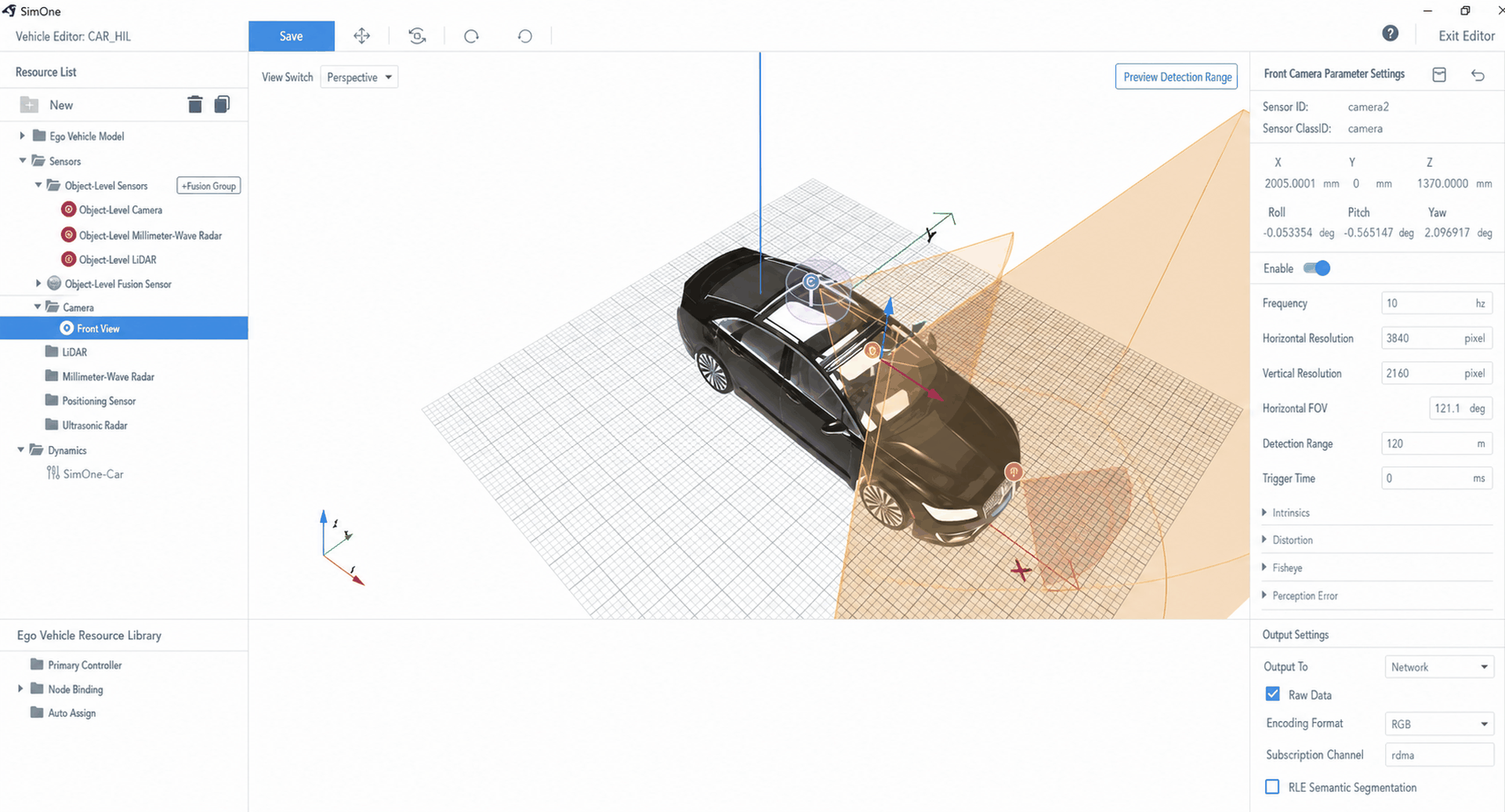
In RDMA mode, SimOne transfers image data directly to the memory of the real-time target after GPU rendering, offering lower latency and higher bandwidth. This mode is suitable for high-resolution and high-frame-rate camera simulation data stream transmission. SimOne provides a shared memory API interface for retrieving image data; users can perform injection link integration based on the selected injection card and configuration.
To configure, select "Network" for the output, and enter "rdma" in the subscription channel.
RDMA data is accessed through the SimOne API to retrieve image data. Users can then proceed with integration development and closed-loop debugging based on the injection link.
3. Real-Time Target Configuration
Note
Real-time target configuration for camera injection must be completed with injection debugging based on the actual camera parameters. This requires corresponding engineering services provided per project.