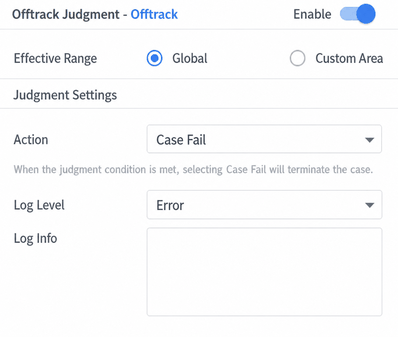
Atomic Judgment Parameters
The Use Case Resource Library — Judgment section covers judgment conditions including Pull Over, Lane Departure, Lane Change, Collision, Custom Condition, and Timeout. Common settings for all judgment types are as follows: the effective scope can be either Global or a Custom Area, selectable as needed.
-
The criterion includes Case Failure and Log Only.
- When Case Failure is selected, the test stops once the condition is met.
- When Log Only is selected, the test continues after the condition is met until the use case ends or another Case Failure condition is triggered.
-
Message type includes Info, Warning, and Error.
-
Users can enter custom text in the message content field.
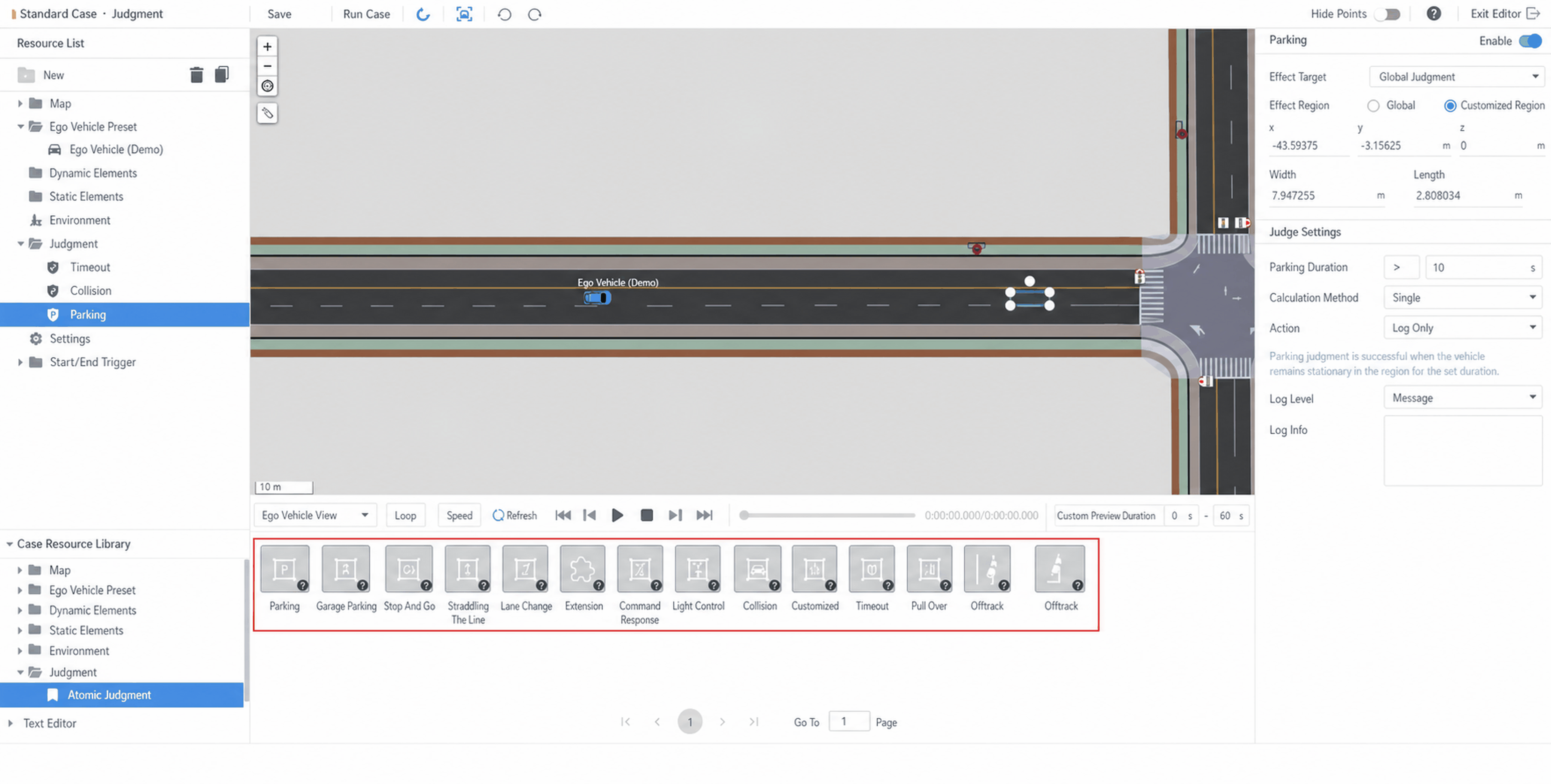
1. Pull Over (停车)
The dwell time can be configured. The parking duration judgment means that the vehicle must stop within the area, and the parking time must be less than the configured duration to trigger the judgment. The calculation method can also be set: "single" means that if the vehicle stops multiple times within the area, only the first stop duration is evaluated.
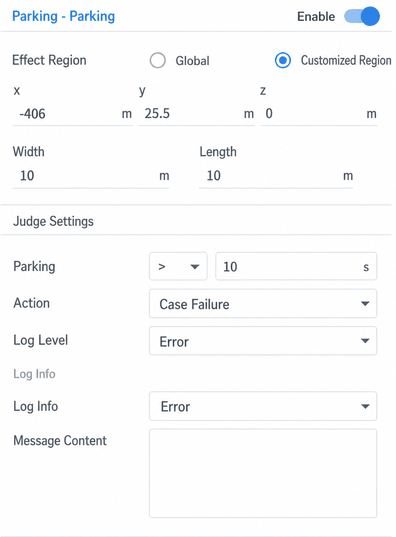
2. Parking into Bay
For parking into a bay, the judgment triggers when the Ego Vehicle parks inside the bay with an insufficient dwell time, or when the Ego Vehicle crosses a lane line during the parking maneuver.
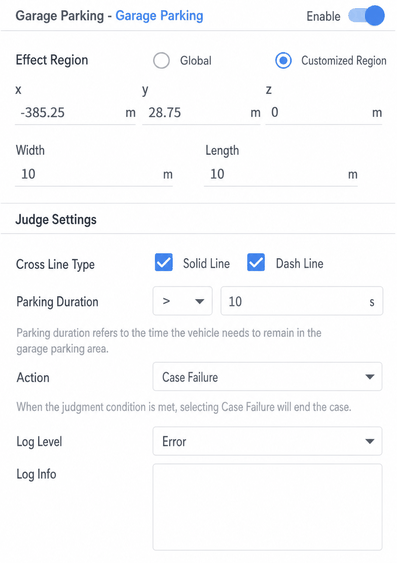
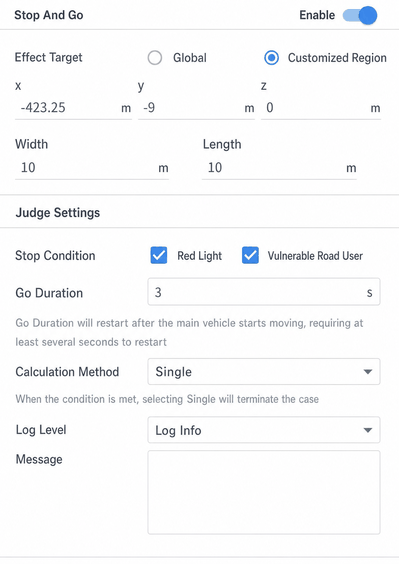
3. Stop-and-Go
The Stop-and-Go judgment evaluates the Ego Vehicle's stop at a red light and its departure time after the signal turns green. The judgment triggers when the Ego Vehicle fails to stop within the judgment area, or when the Ego Vehicle crosses the stop line (the vehicle's four corner points are checked — if all are on the same side of the stop line, no crossing is detected; otherwise, a crossing is detected).
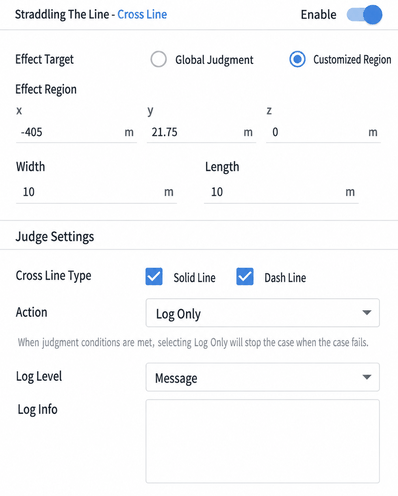
4. Lane Departure
Lane Departure supports checking both solid lines and dashed lines. The judgment triggers when the Ego Vehicle contacts the configured lane line.
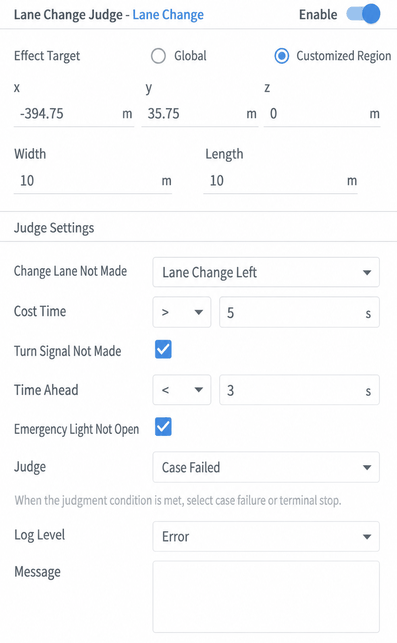
5. Lane Change
The Lane Change judgment includes lane change type, time to complete the lane change, whether to activate the turn signal in advance (lead time), and hazard lights as optional items. The lane change duration is measured from the moment a lane line crossing event is detected.
Example: Judgment configured as "Failed to execute lane change — Left lane change, lane change duration greater than 5 seconds, activate turn signal 3 seconds in advance, activate hazard lights after lane change." After the Ego Vehicle enters the judgment area, the correct event sequence is:
Initial phase
Left turn signal ON event received
Wait for turn signal to remain on for 3 seconds
After 3 seconds
Wait for lane change start event
Left lane line crossing detected
Wait for the vehicle body to enter the left lane
Vehicle body enters left lane
Wait for hazard lights to activate
Hazard lights ON
End
The judgment triggers when the Ego Vehicle exhibits the above behavior. There are two failure reasons: the vehicle failed to complete every phase in order, or the lane change took too long.
Lane change duration is measured from the moment a lane line crossing event is detected to when the vehicle body has fully entered the new lane.
Lane Change judgment is currently evaluated after the vehicle exits the area, determining whether the lane change was completed successfully in the preceding area.
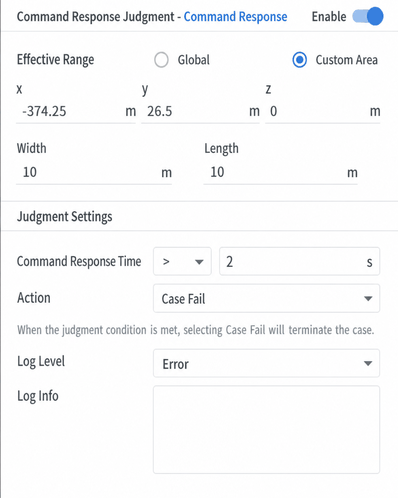
6. Extension (Command Response)
Command Response triggers the judgment when the Ego Vehicle responds to a command within a configured time range.
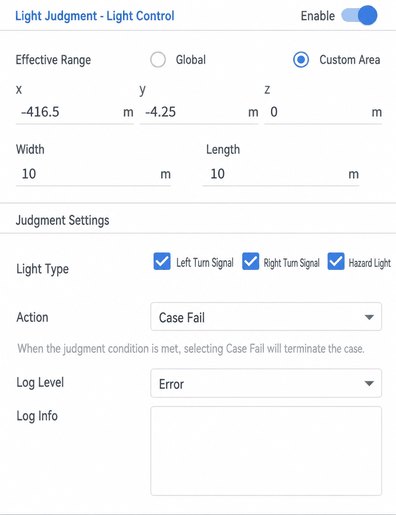
7. Lights
Lights judgment triggers when the Ego Vehicle fails to activate the configured hazard lights or left/right turn signals as specified.
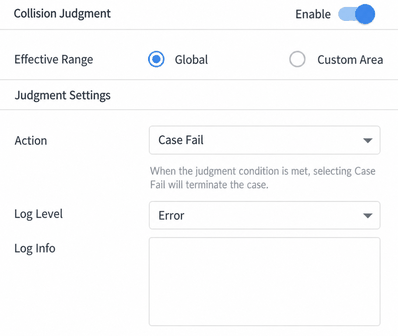
8. Collision
The Collision judgment defaults to Global scope and does not support custom areas. It triggers when the Ego Vehicle is involved in a collision.
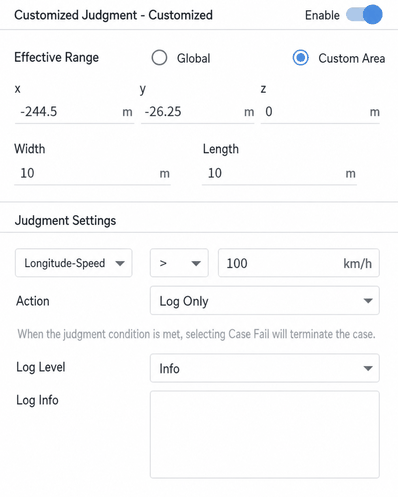
9. Custom Condition
Custom conditions include: longitudinal/lateral speed, acceleration, distance to the vehicle ahead, time-to-collision (TTC), distance to left/right lane lines, distance to left lane line, distance to right lane line, and lateral deviation from lane centerline. After dragging a custom condition into the use case editing window, you can switch the condition type using the description input box under Judgment Settings.
Values in the judgment are approximate, not exact.
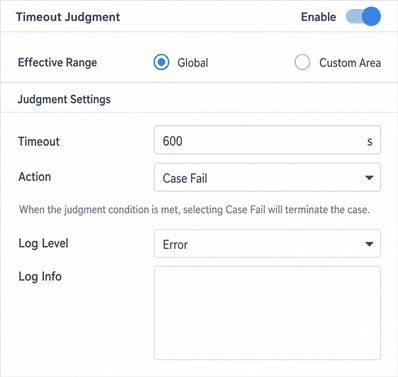
10. Timeout
A timeout duration (in seconds) can be configured. This judgment is global only. It triggers when the test fails to complete within the configured time.
11. Pull Over (靠边停车)
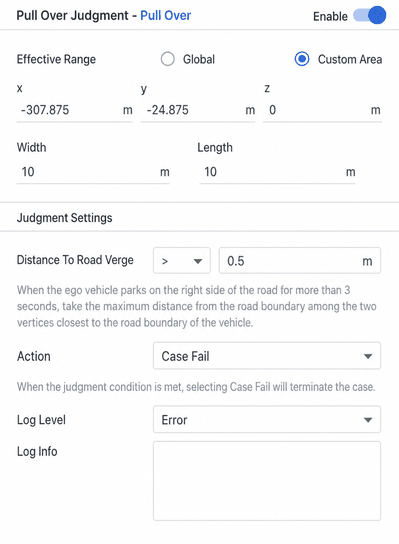
Pull Over judgment triggers when the Ego Vehicle fails to enter the rightmost lane (including the bicycle lane) and stop for at least 3 seconds within the defined area.
The distance refers to the distance from the right edge of the rightmost lane line.
The Ego Vehicle must start from outside the judgment area and enter the judgment area from outside to trigger the use case.
12. Road Departure
The judgment triggers when the Ego Vehicle departs from the road.