Using Built-in Traffic Flow Model
SimOne provides a built-in traffic flow model that supports generating random traffic flow by configuring traffic participants through the frontend. The main steps are as follows:
1. Create a Traffic Flow Case
In the case library, click New Case, select Traffic Flow Case as the case type, fill in the case name and other basic information, then enter the case editing interface.
2. Traffic Flow Case Editing
Configure the traffic flow case in the editing interface, which mainly includes:
2.1 Configure Map and Ego Vehicle
Configure the required map and Ego Vehicle (same procedure as for Standard Cases).
2.2 Edit Ego Vehicle Trajectory
Edit the Ego Vehicle trajectory as shown below:
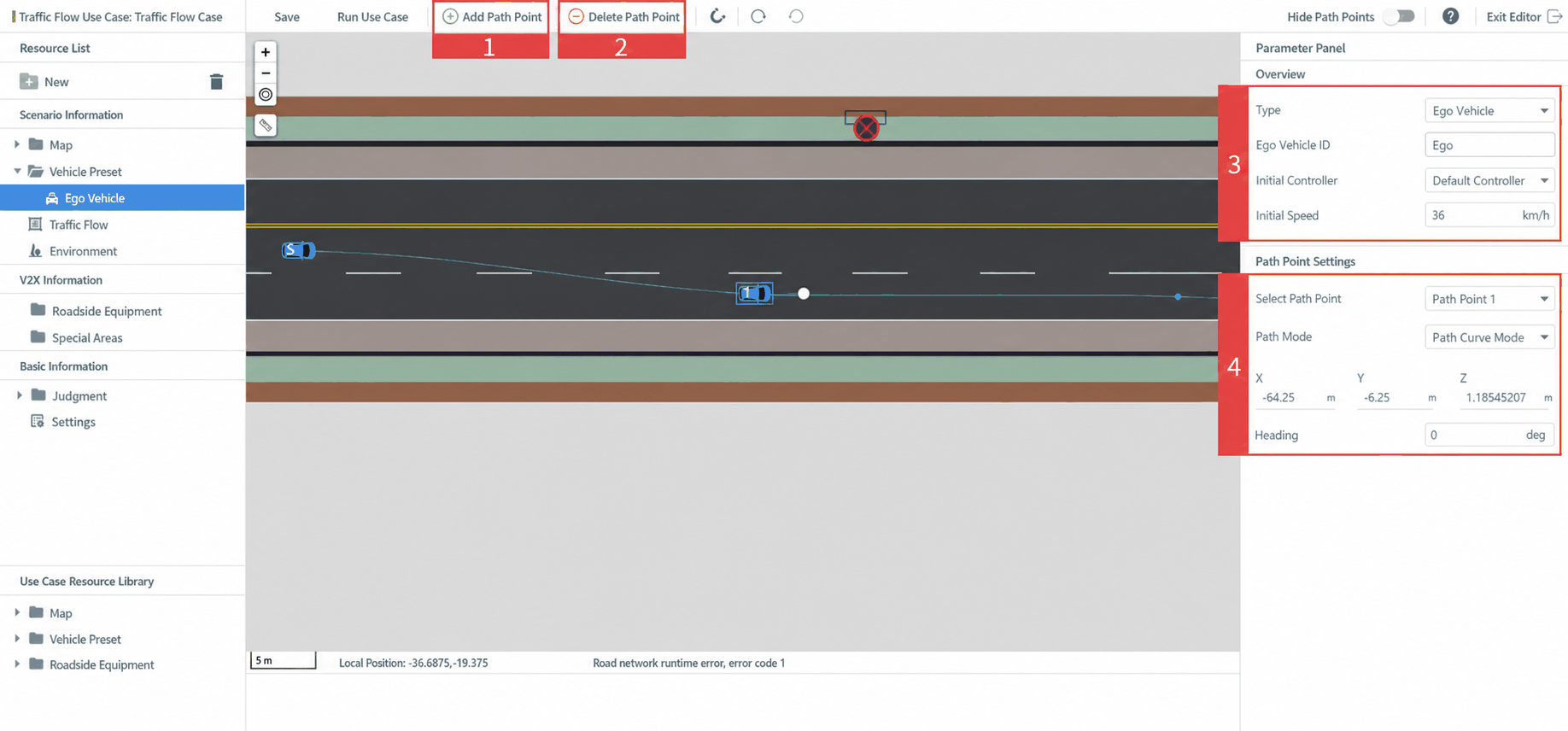
| ID | Function | Description |
|---|---|---|
| 1 | Add Waypoint | Add a waypoint to the Ego Vehicle's travel path |
| 2 | Delete Waypoint | Remove a waypoint from the Ego Vehicle's travel path |
| 3 | Ego Vehicle Initial Config | Configure the Ego Vehicle type and initial settings (initial controller, initial speed) |
| 4 | Waypoint Info Config | Configure information for a specific waypoint (X, Y, Z coordinates and heading) and the path follow mode (route or path). Use the dropdown to switch between waypoints |
2.3 Traffic Flow Configuration
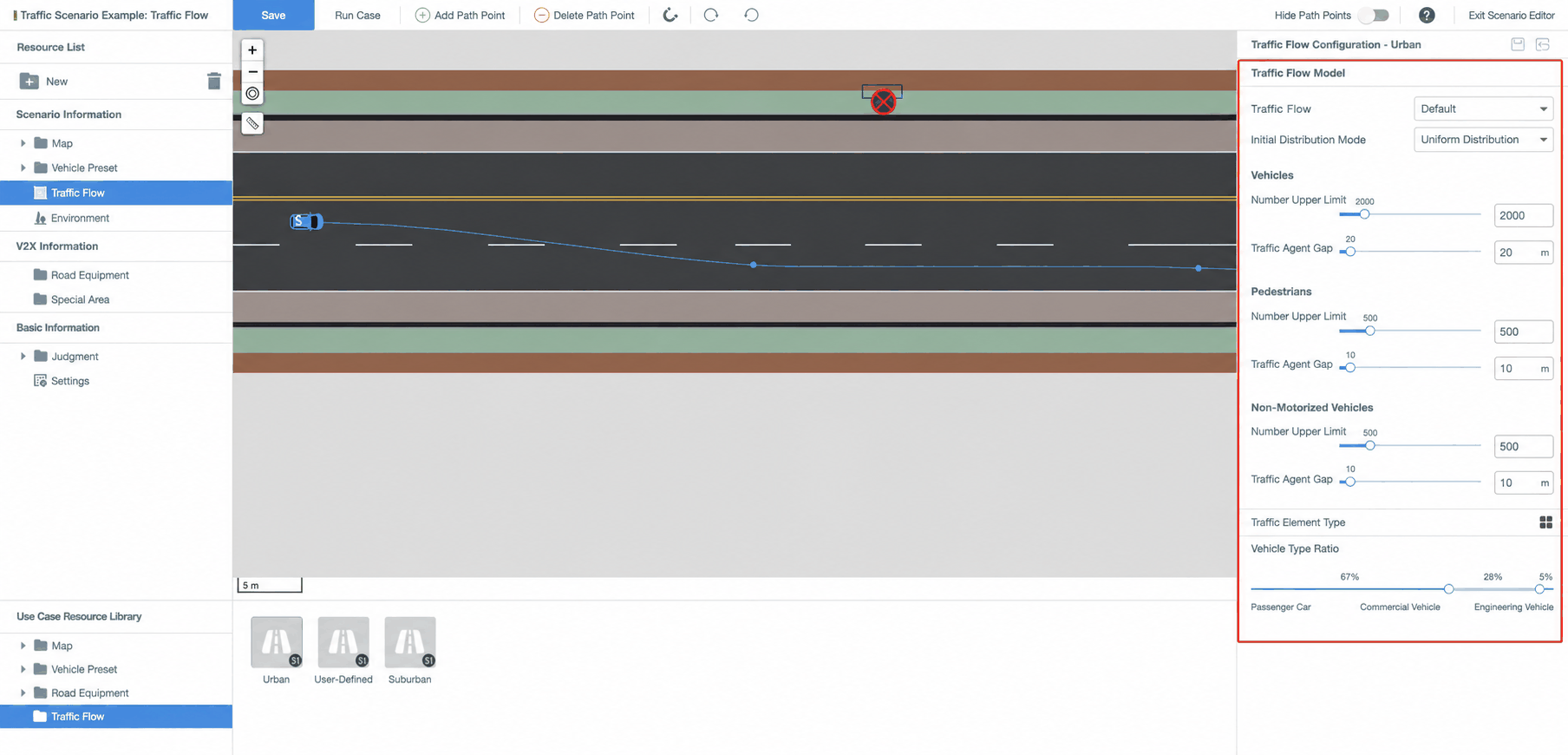
Configure traffic flow parameters, including: traffic flow type (select Default), initial distribution method, maximum count and spacing for vehicles/pedestrians/non-motorized vehicles, traffic element types, and vehicle category ratios. Details are shown below:
2.4 Other Configuration
Configure environment, V2X, evaluation, and settings (same procedure as for Standard Cases).