Judgment Group Management
A Judgment Group combines multiple atomic judgments and Lua scripts into a reusable set for complex functional verification scenarios. Once configured and saved, a Judgment Group can be added directly to multiple test use cases.
1. Add a Judgment Group
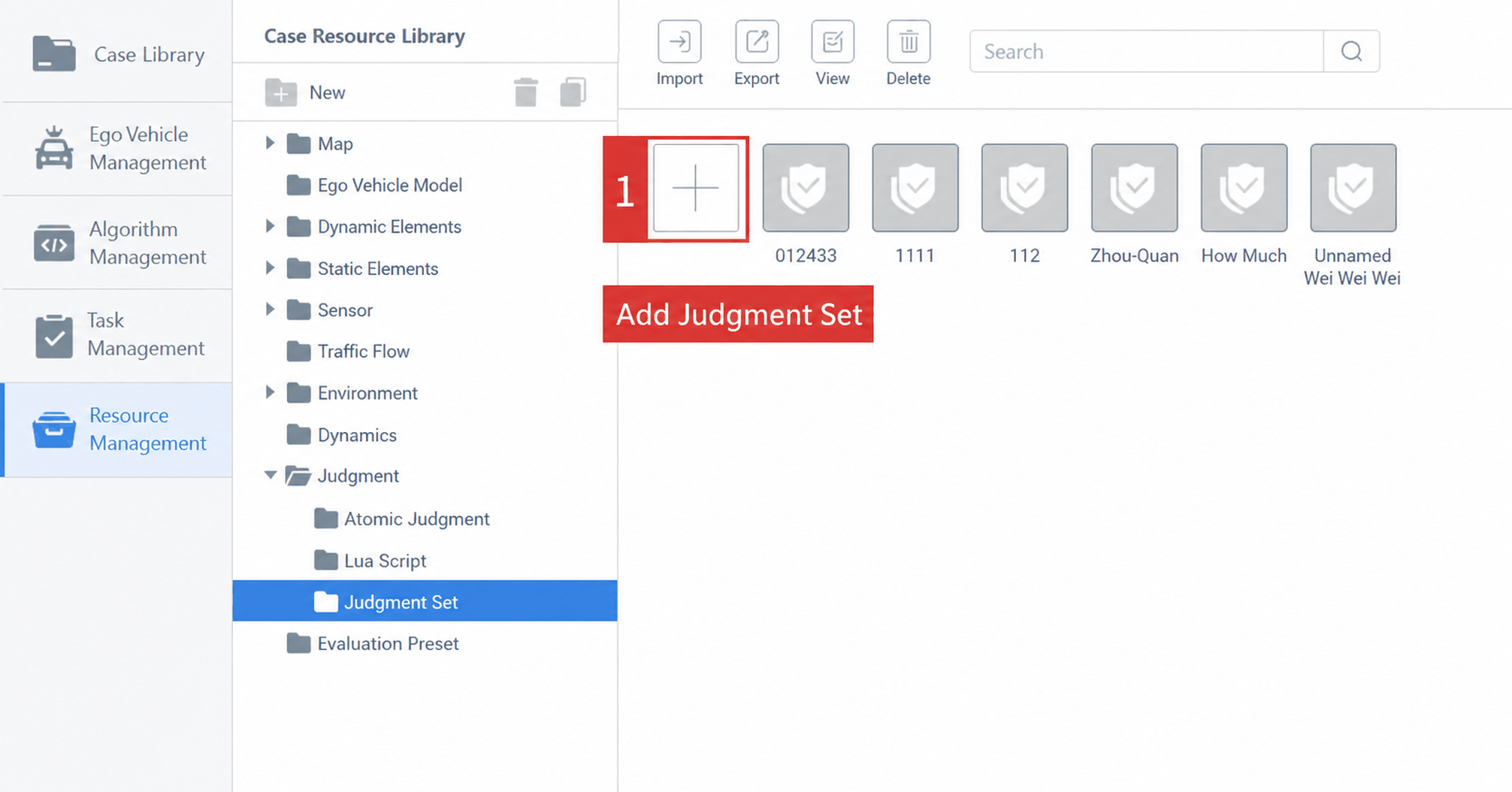
In Resource Management, select the Judgment Group folder under the Judgment resource module, then click the Add button.
2. Edit Judgment Group Content
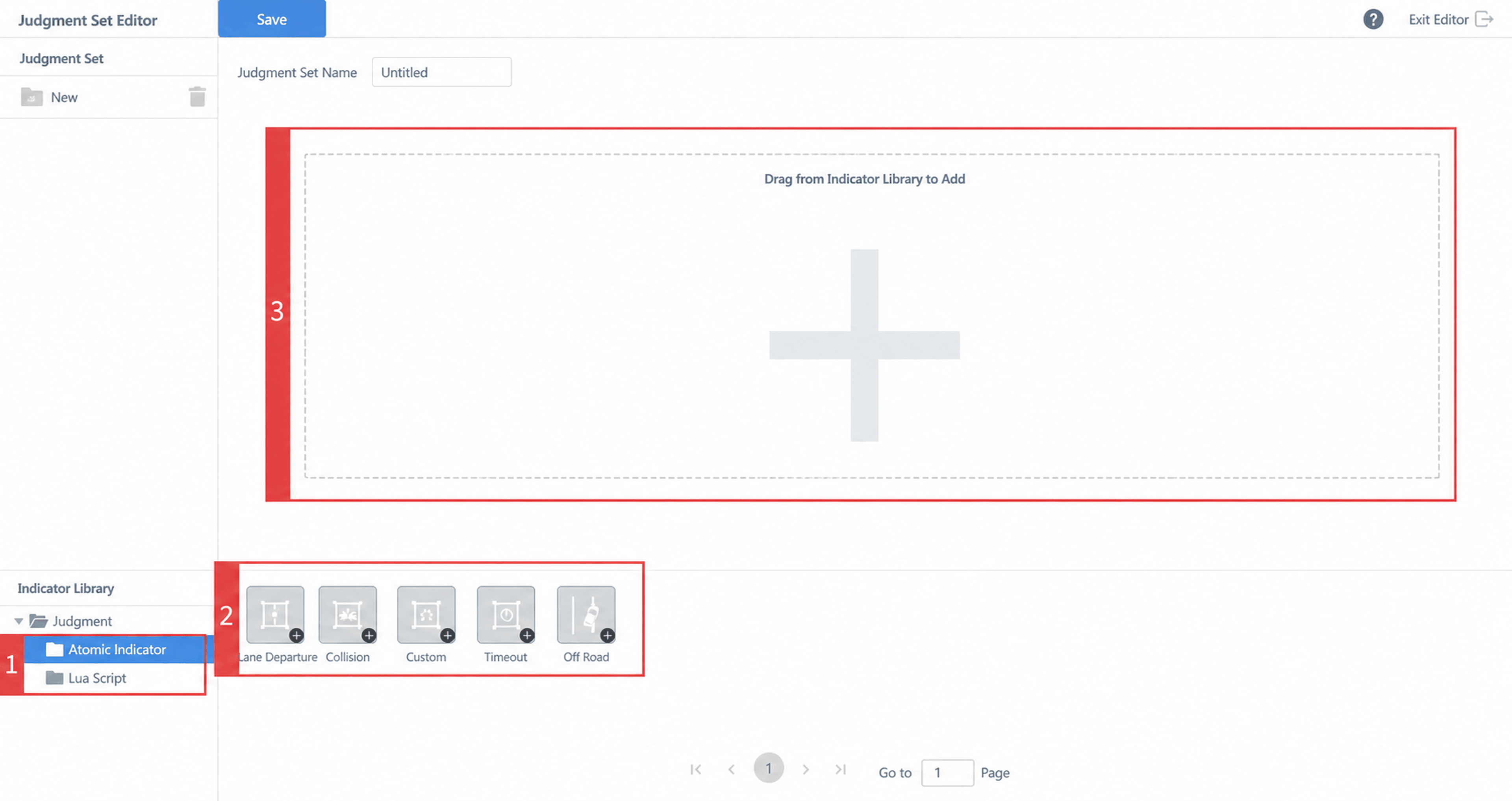
On the Judgment Group editing page, drag and drop atomic judgments and Lua script judgments to compose a Judgment Group.
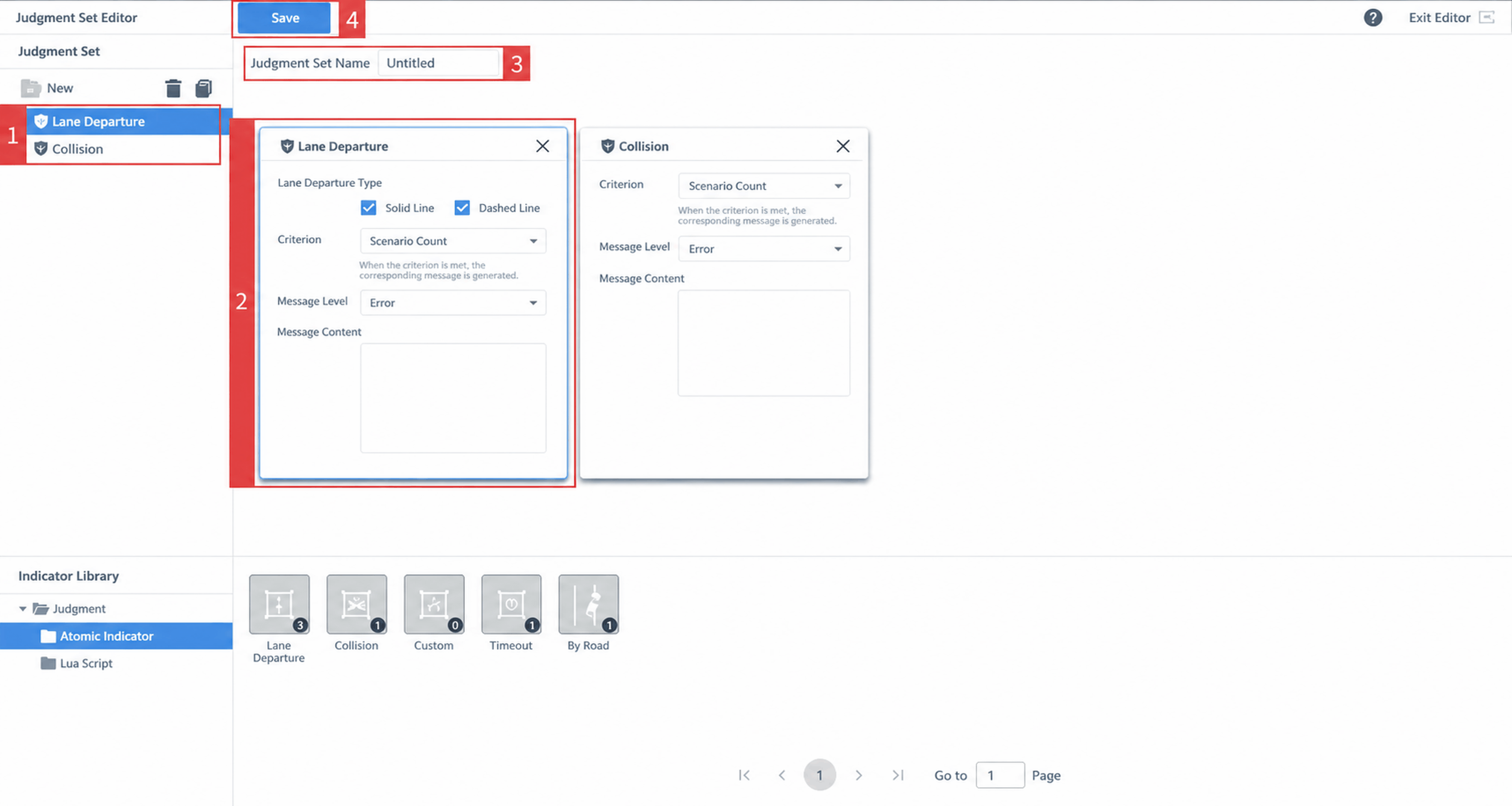
The following adjustments can be made to the Judgment Group content:
- Delete or clone an added atomic judgment.
- Modify parameters of a selected atomic judgment.
- Customize the name of the Judgment Group.
- Click the Save button to save the current Judgment Group configuration.