V2X Simulation Testing
This section describes how to configure OBU and RSU in SimOne to run V2V and V2I simulation tests. For background on V2X technology and an overview of SimOne's capabilities, please read V2X Technology and Simulation first.
How to Build a V2X Test Case
1. Configure an OBU Sensor on the Ego Vehicle
Open the Ego Vehicle editor, drag an OBU sensor onto the Ego Vehicle, configure the OBU frequency, position, and switch status, and save the Ego Vehicle as an OBU vehicle. The controller can be set to manual control or SimOneDriver.
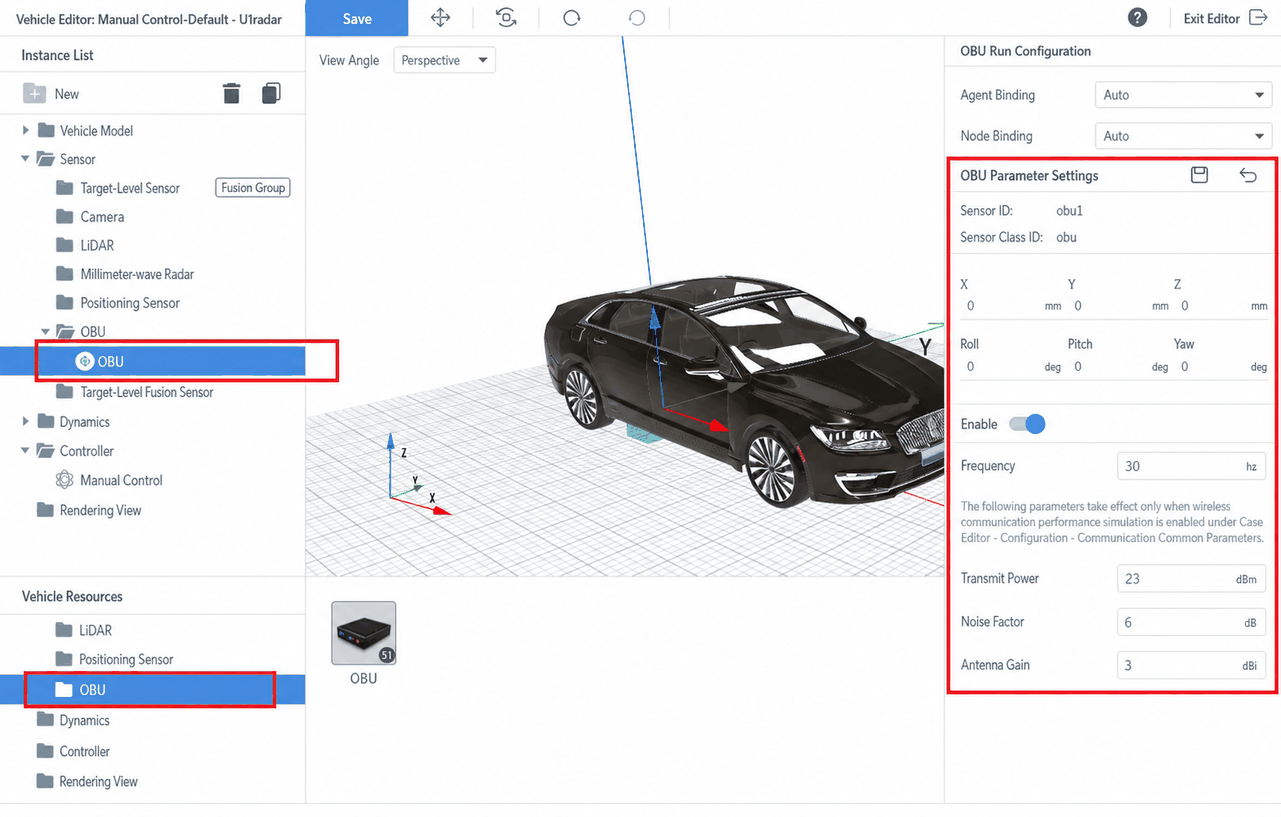
An Ego Vehicle configured with OBU has V2X communication capability. An OBU-equipped Ego Vehicle can receive V2X status information broadcast by nearby OBU-equipped Opponent Vehicles, motorcycles, special vehicles, road conditions, HD maps, and traffic signals within a certain range. These correspond to the various V2X messages defined in the Chinese national standards.
2. Configure a V2X V2V Test Case
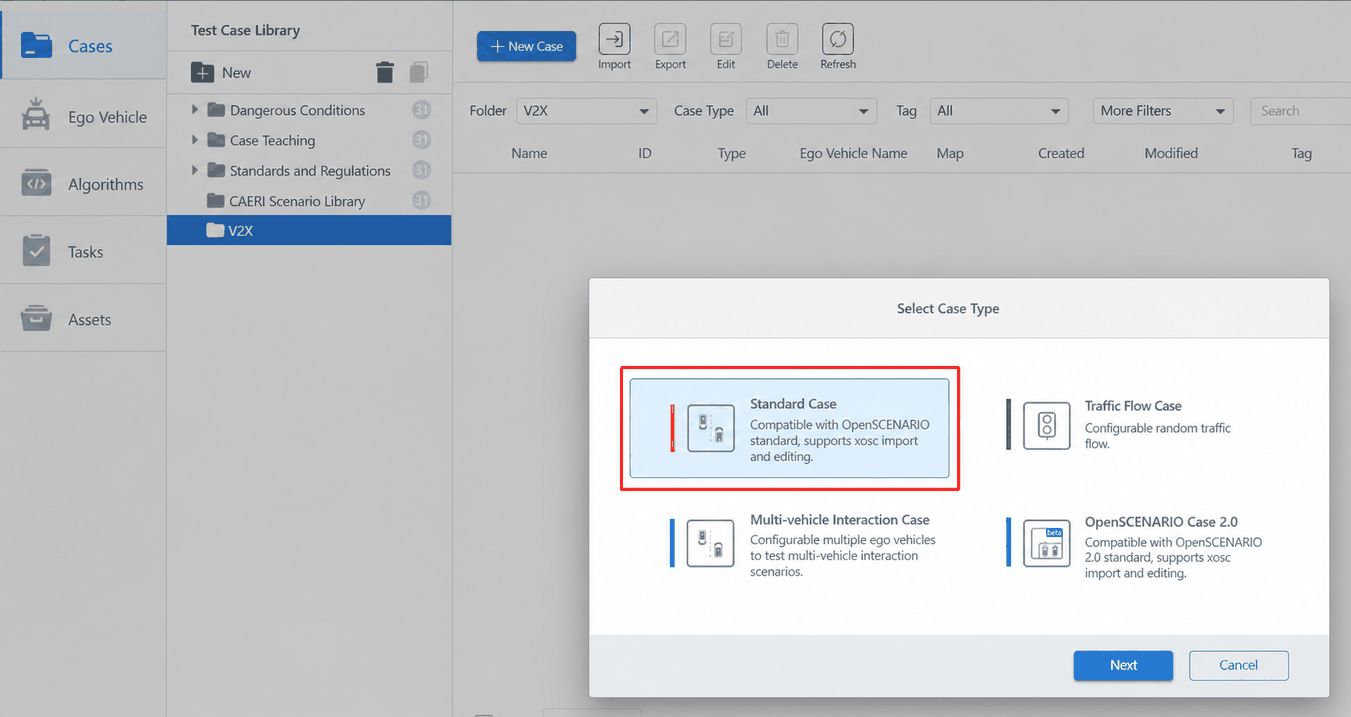
(1)Create a Standard Test Case and add a manually controlled Ego Vehicle configured with an OBU sensor. View the OBU Ego Vehicle in edit mode and enable the OBU switch.
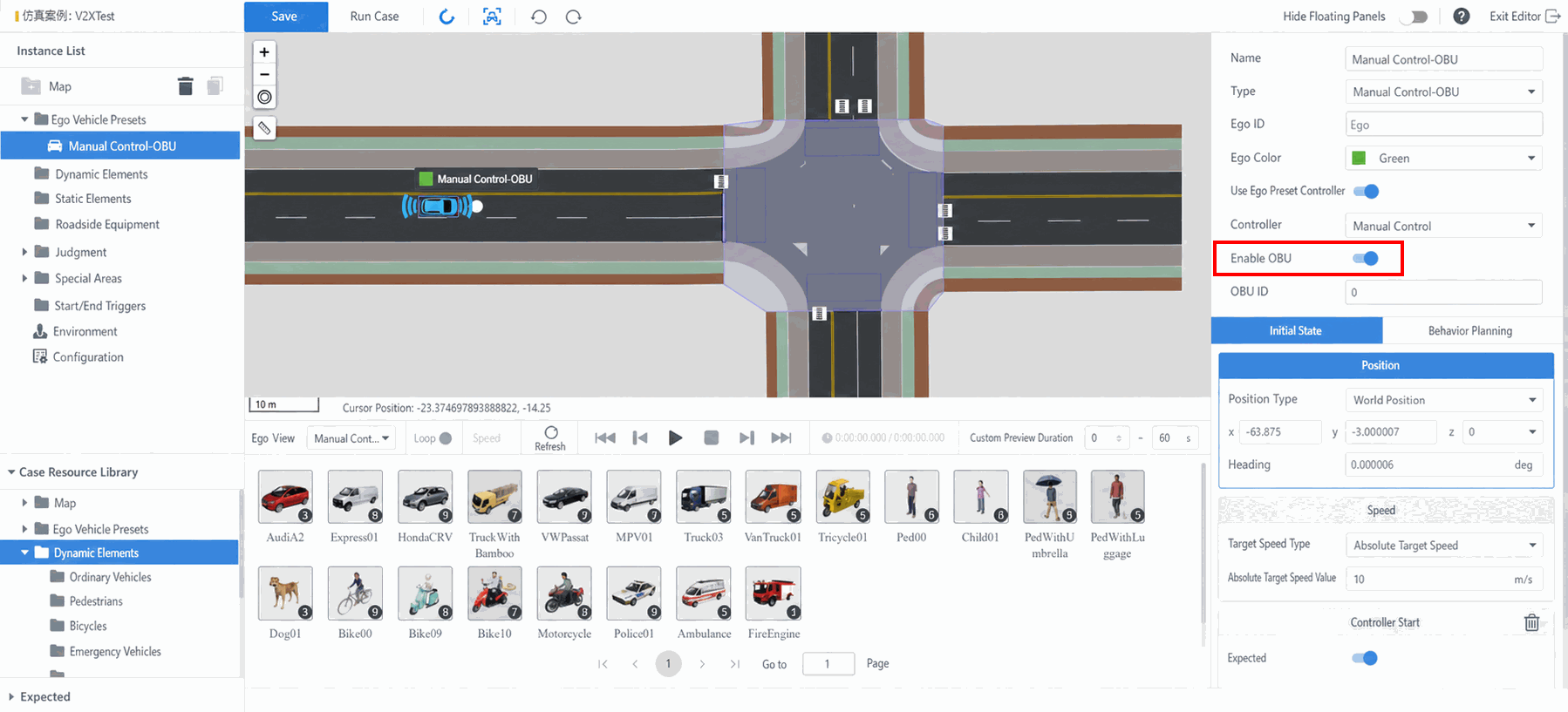
(2)You can set the OBU switch state of the Ego Vehicle, and configure the Ego Vehicle's initial speed, position, heading, and other parameters.
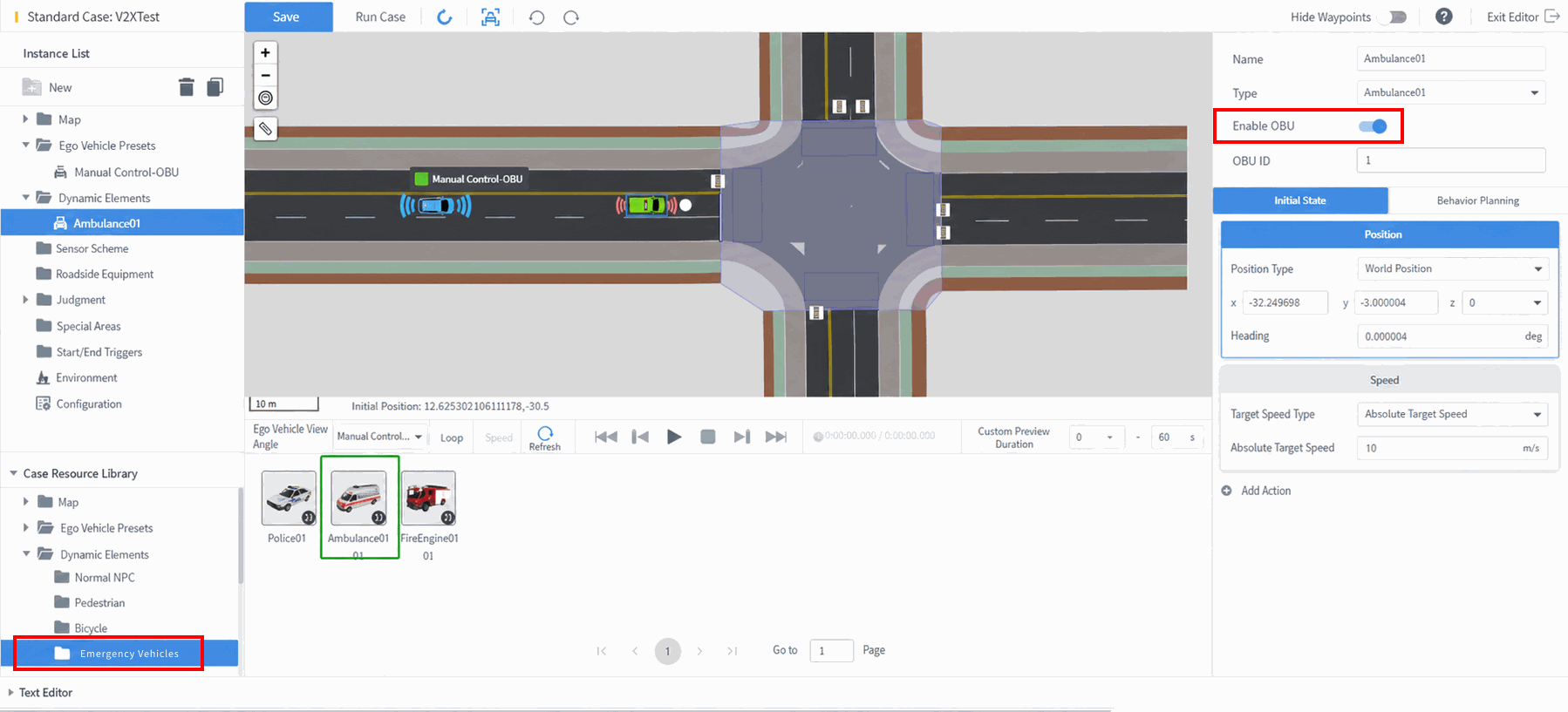
(3)Add an Opponent Vehicle to the test case editor and enable the Opponent Vehicle's OBU communication state. Drag in a Special Vehicle – Ambulance and enable its OBU switch.
(4)In addition to setting the OBU switch state of the Opponent Vehicle, you can configure its special status information to more realistically reflect road and vehicle conditions. A total of 13 special status types are available, as defined by the national standard for vehicle special status events. After selecting the Opponent Vehicle, choose Behavior Planning on the right, add an event, then select Add Action → User-Defined → Send Status, select a status, and add a start condition.
Vehicle Special Status Events Defined by the National Standard (13 types)
Hazard lights activated, vehicle crossed stop line, ABS system engaged, traction control triggered, electronic stability control activated, hazardous materials transport vehicle, reserved for other events, emergency braking, headlight status changed, windshield wipers changed, tire blowout, vehicle malfunction, airbag deployed.
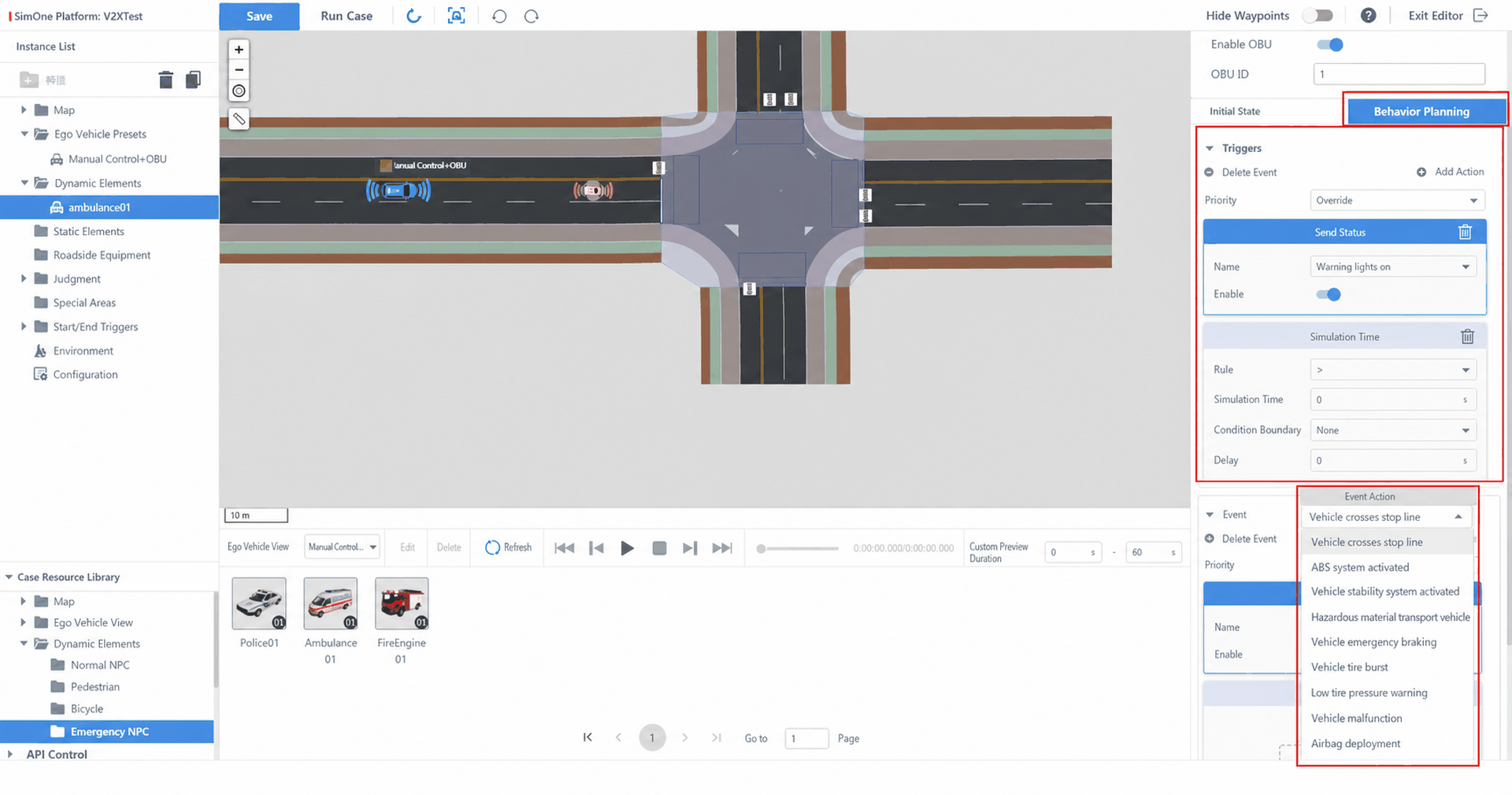
(5)Save and Run the test case. Select API Control – OBU or a self-configured OBU Ego Vehicle, then view the SimOne simulation interface. In the simulation interface, you can see the V2X BSM vehicle status data broadcast by the Opponent Vehicle and received in real time by the Ego Vehicle. Users can retrieve the V2X-encoded ASN binary data through the API.
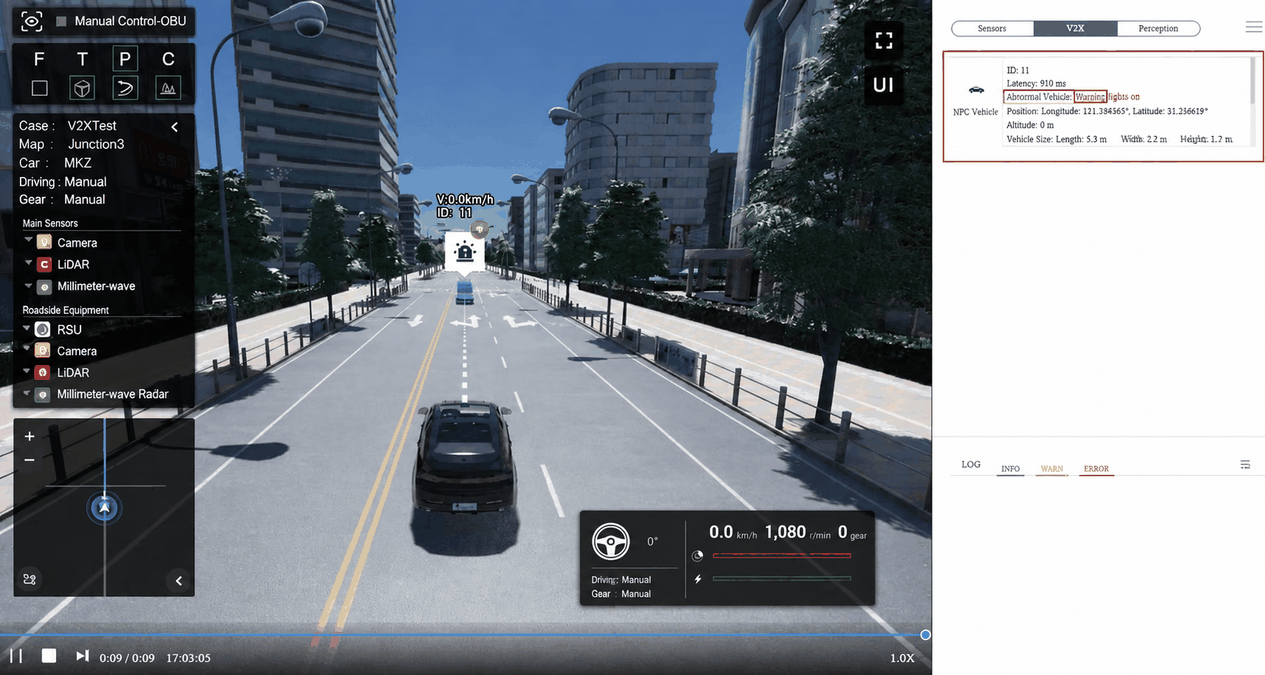
3. Configure a V2X V2I Vehicle-Road Cooperative Test Case
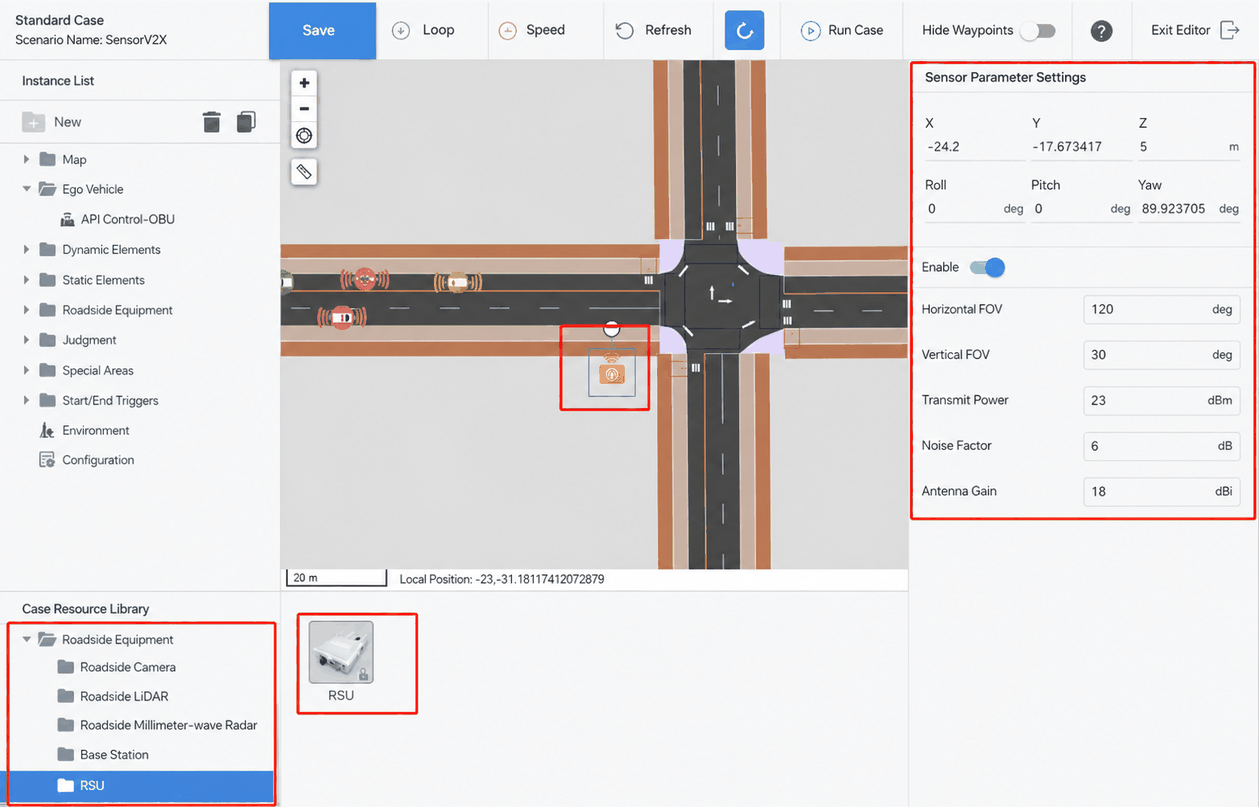
(1)A vehicle-road cooperative test case requires adding an RSU during scenario editing. After creating a standard test case, add a roadside unit RSU and configure its installation height, antenna gain, and coverage range.
RSU (Roadside Unit)
RSU (Roadside Unit) is a communication device installed on the roadside. In vehicle-road cooperative technology, RSUs primarily communicate with vehicles to collect and transmit vehicle and road information, providing data support for autonomous driving and intelligent transportation systems. An RSU typically consists of antennas, communication modules, computing units, storage units, and other components. It can communicate with vehicles via wireless networks (such as Wi-Fi, 5G, etc.) and is an indispensable part of vehicle-road cooperation.
(2)Add a special zone and configure its position, type, and attributes.
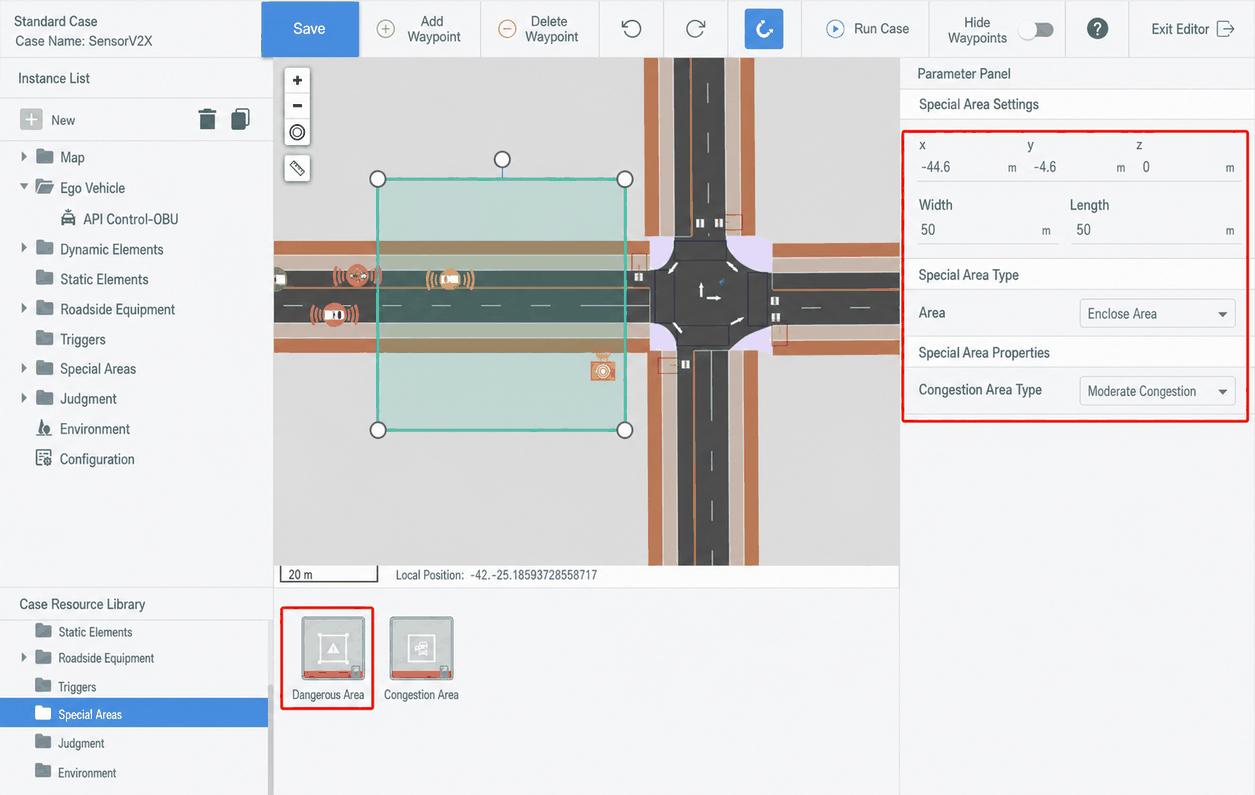
(3)View the simulation scenario. Traffic signal, road sign, and traffic sign information sent by the RSU can be retrieved through the API.