v3.9.0
Release Date: 2026-06-30
New Features
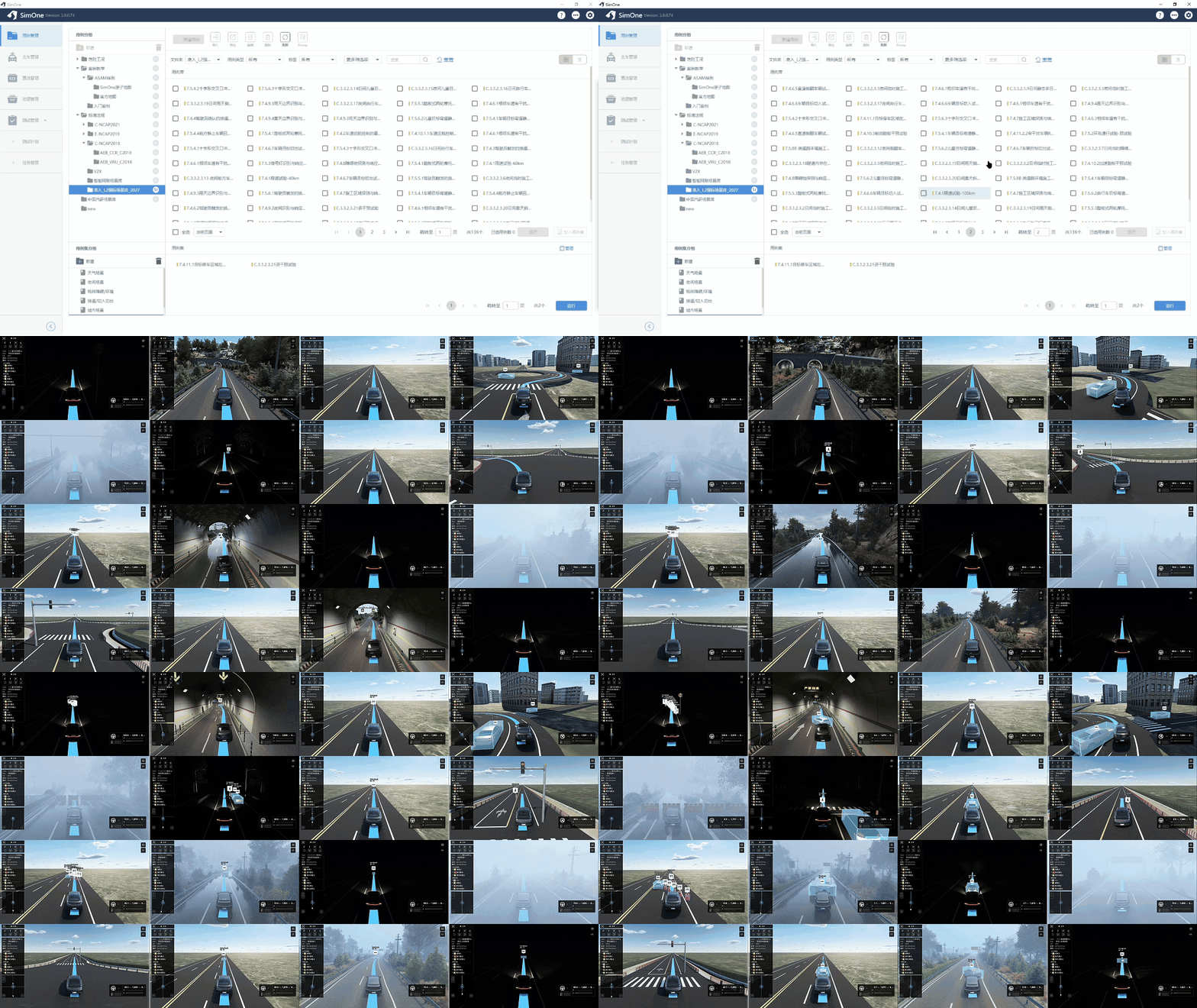
- Built-in L2 Mandatory Scenario Library: Based on the Safety Requirements for Intelligent Connected Vehicle Combined Driving Assistance Systems (approval draft), L2 mandatory standard simulation test scenarios have been added to the built-in scenario library.
-
New Built-in Maps:
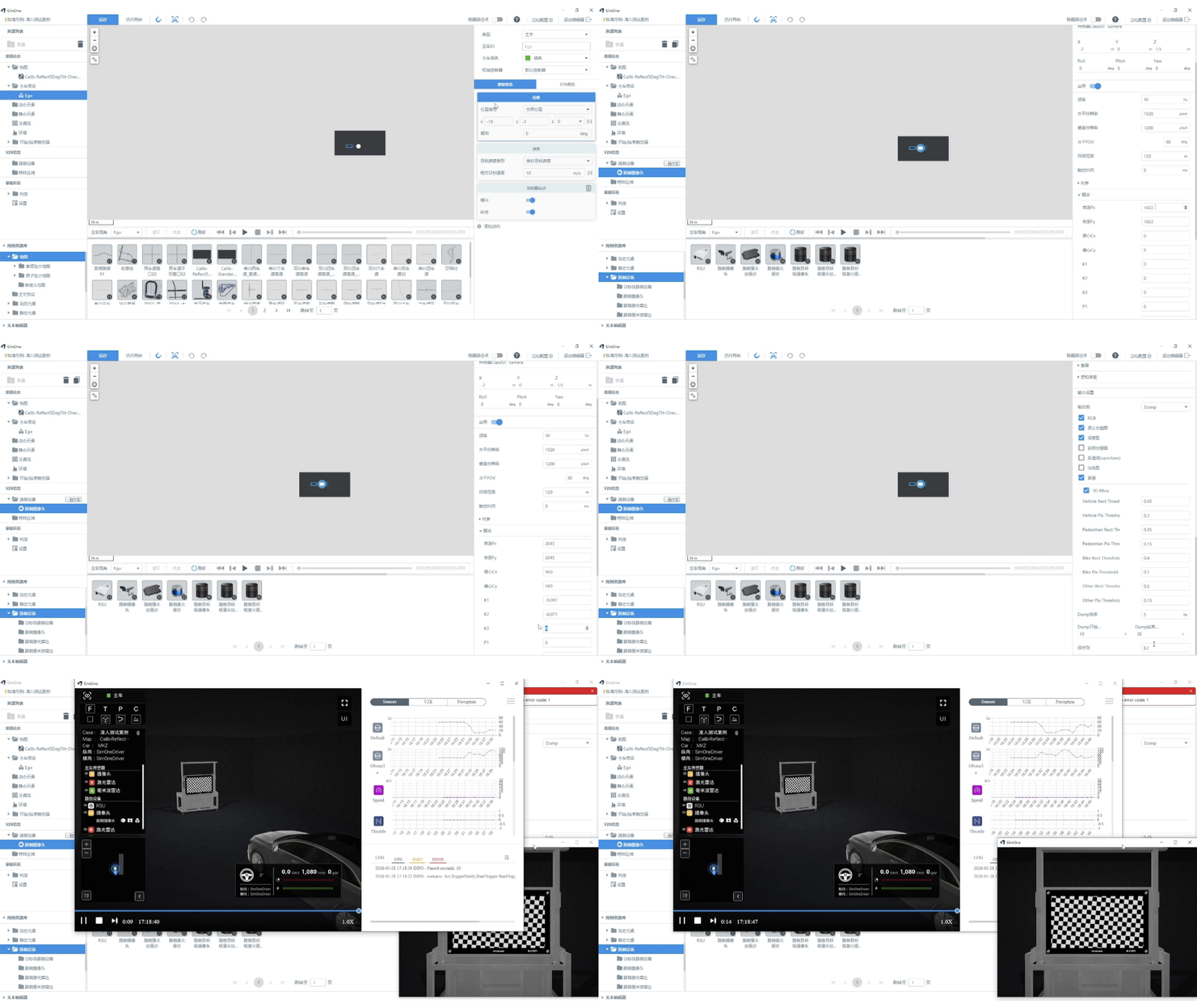
- Checkerboard Calibration Room for Sensor Confidence Evaluation: Provides a standardized camera calibration scene for sensor model confidence validation. See the Admission Testing chapter for details.
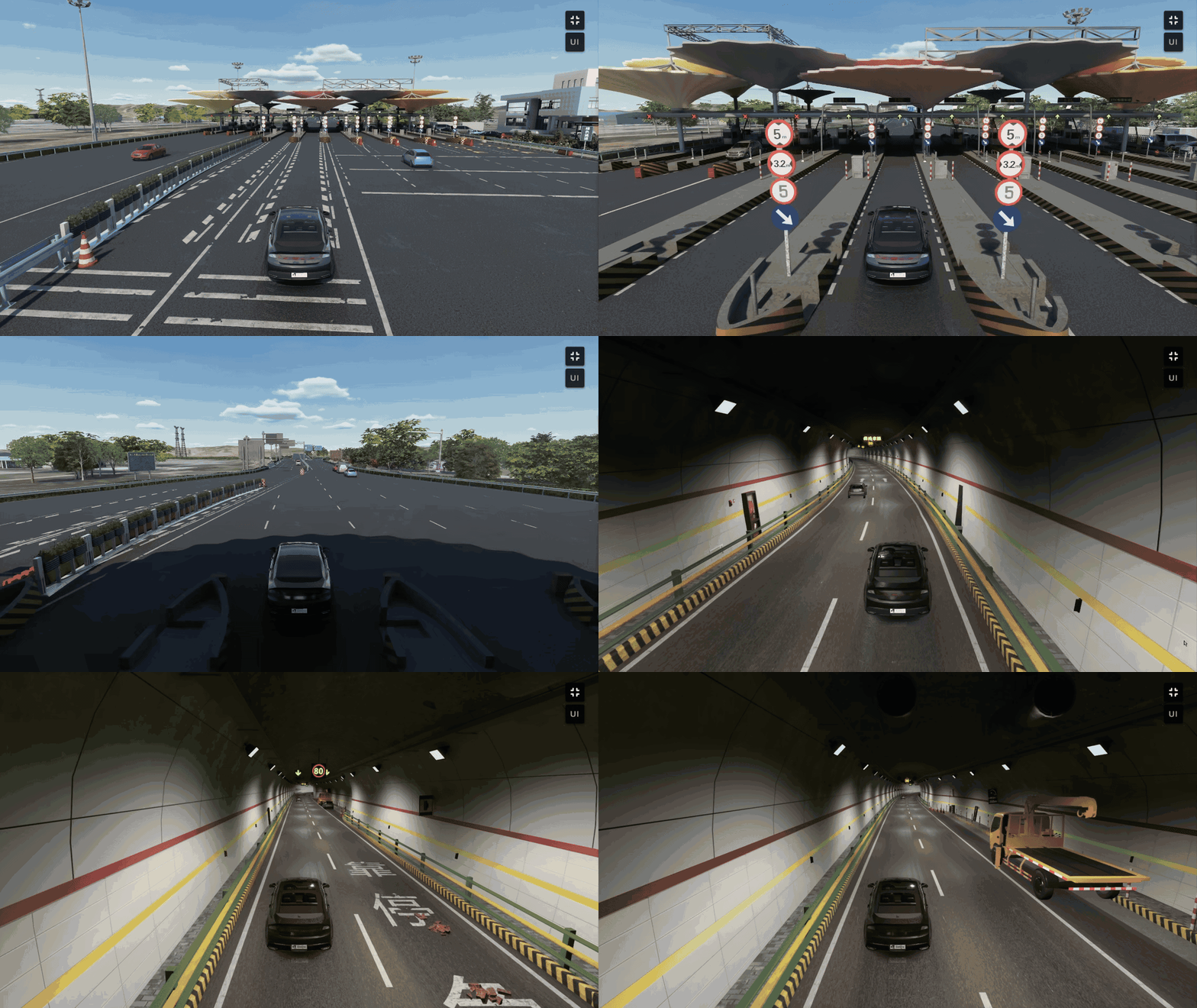
- Typical Tunnel and Highway Toll Station: Two new typical structured road scenes — tunnel and highway toll station — have been added to expand simulation test coverage for intelligent driving algorithms in complex road environments.
-
New HIL Toolkit (SimOne For HIL): Supports deep integration with the NI platform to build an end-to-end HIL closed-loop verification environment covering SimOne simulation → NI real-time I/O → intelligent driving domain controller. Supports CAN/CANFD/automotive Ethernet/GMSL2 interface outputs and is compatible with NI VeriStand 2023Q4 and later. See the HIL Toolkit chapter for details.
-
Scene Editor Updates:
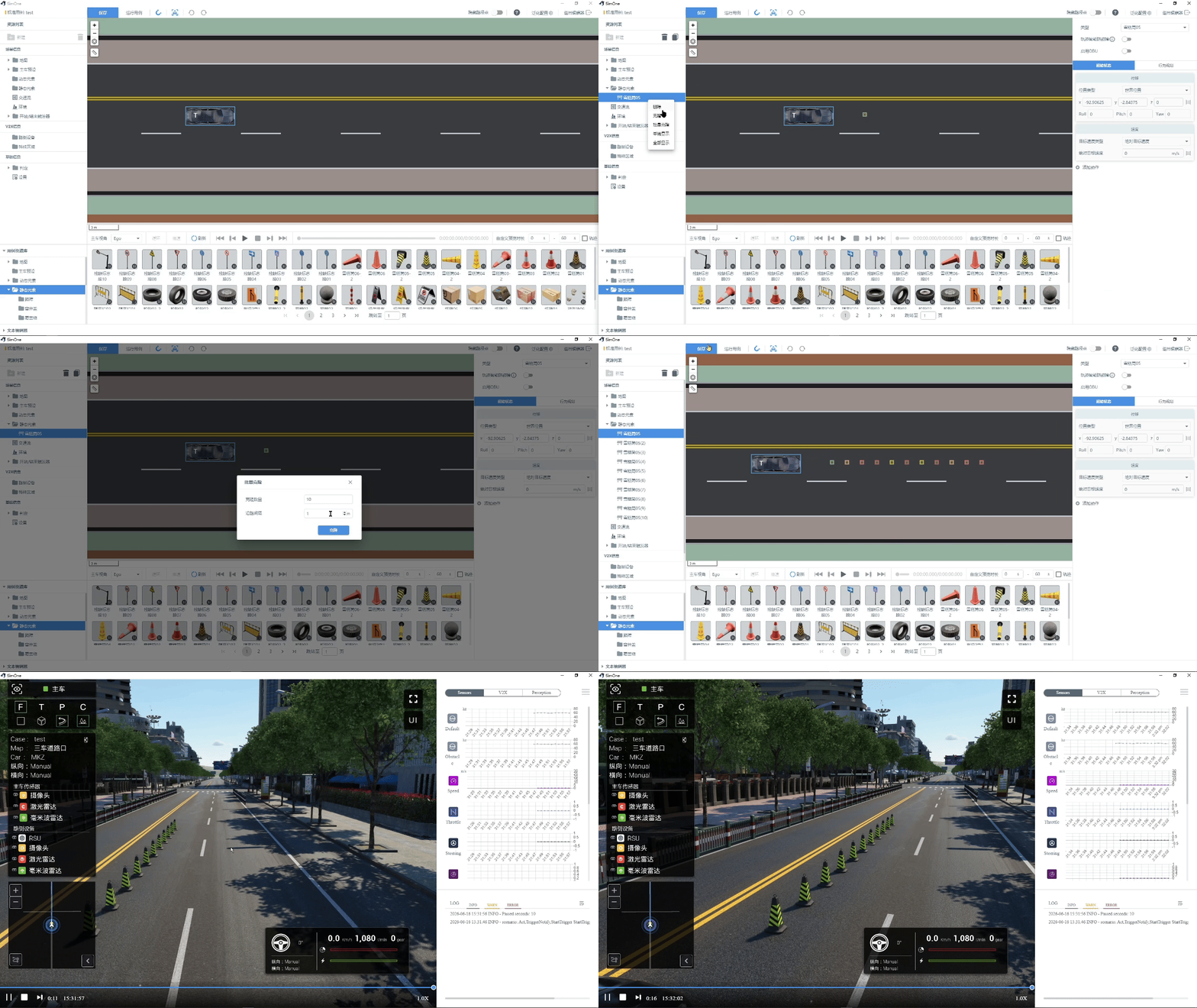
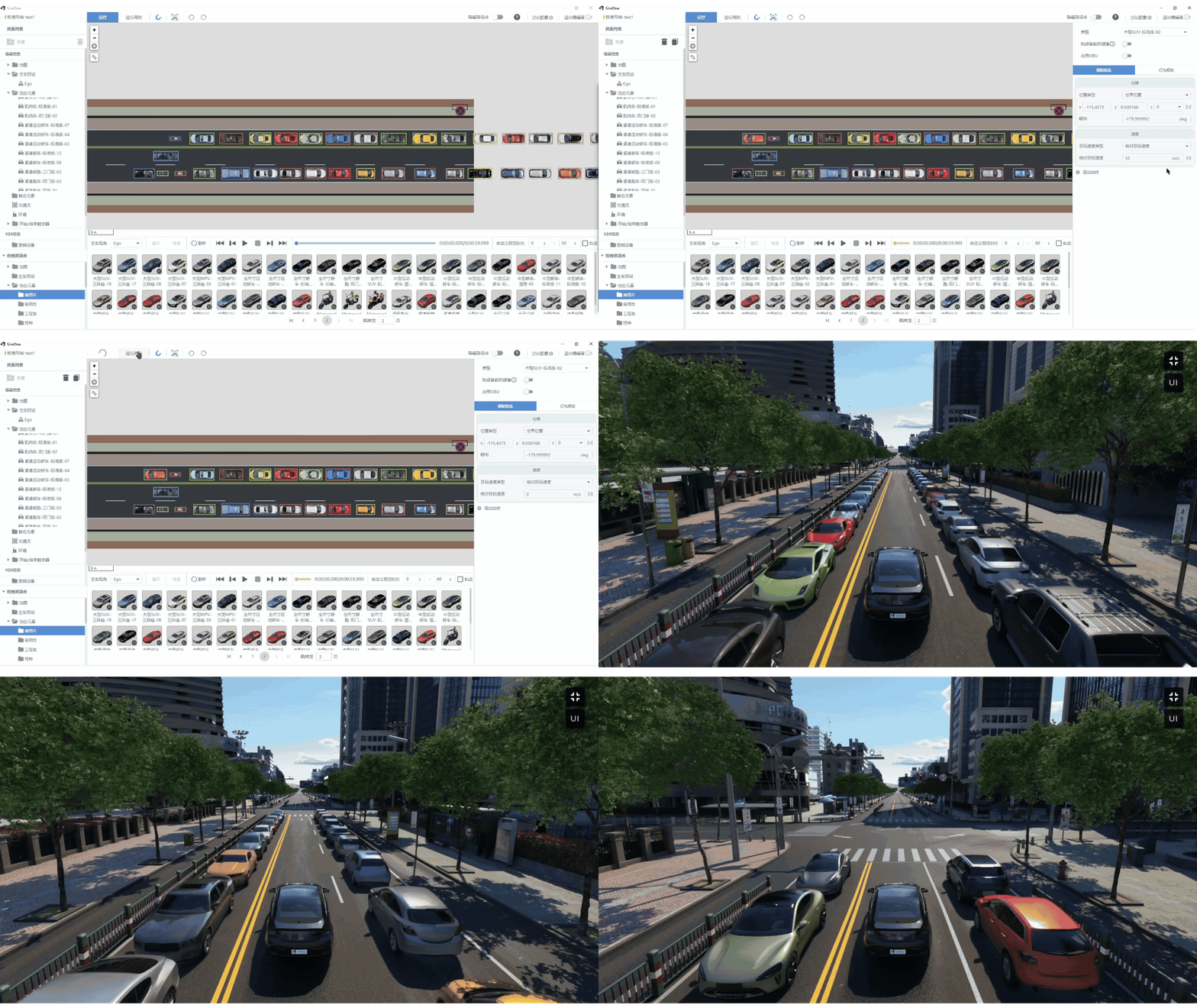
- Batch Clone Static/Dynamic Objects: A batch clone option has been added to the right-click menu. You can customize the clone count and spacing; objects are cloned from the selected object along the road S-direction, and the cloned objects use world coordinates.
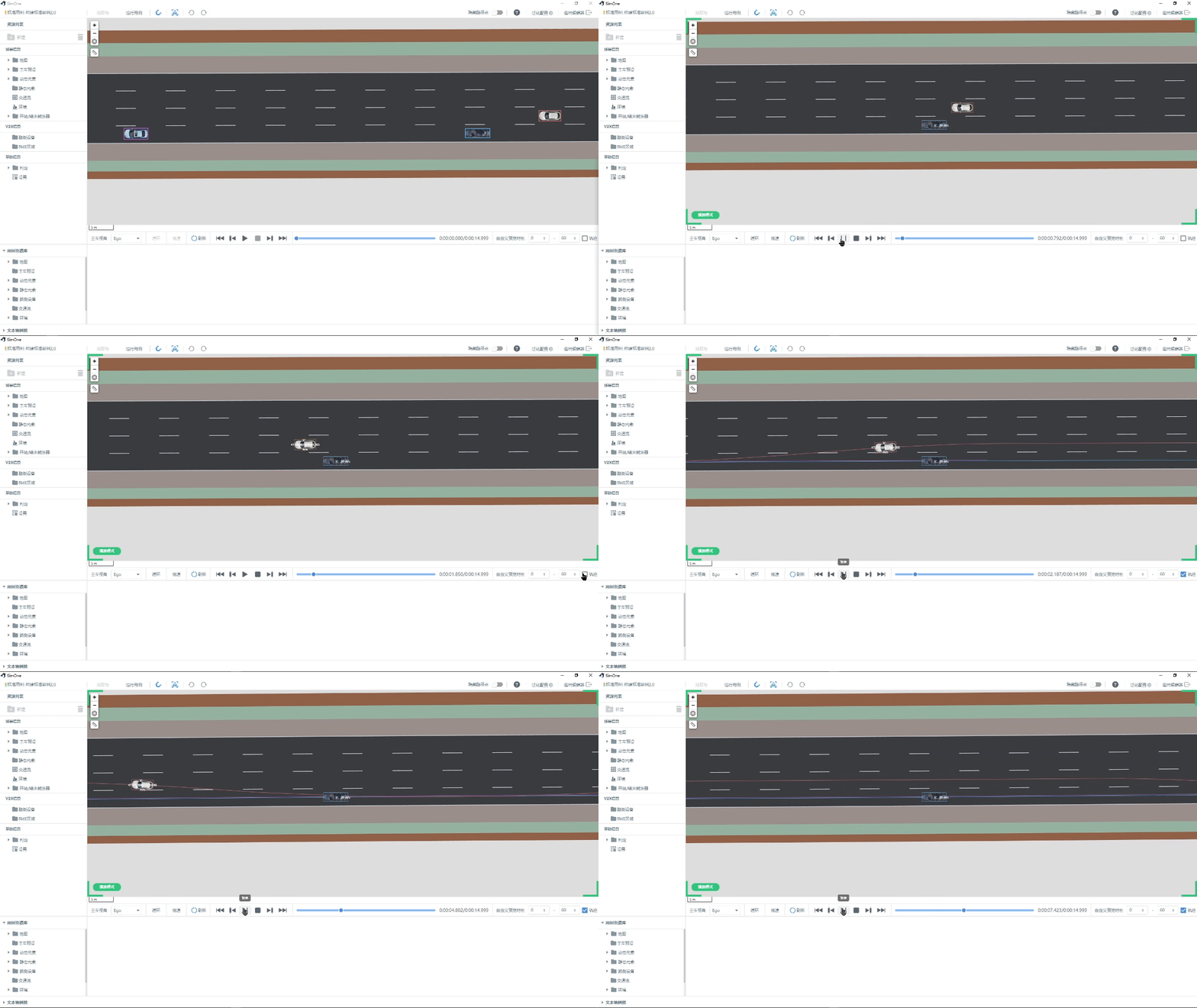
- View Ego Vehicle or Dynamic Element Trajectories During Preview: After editing a scene, use the preview mode to visually inspect trajectory paths.
-
View Road Information (e.g., road ID) Without Editing: When neither the ego vehicle nor any target is selected, left-click on the map to view road information such as the road ID directly.
-
Vehicle Top-View Display: Supports displaying a top-down view of the vehicle to facilitate intuitive test case editing.
-
Restore Body Parts Feature in Behavior Planning: Restores the "Body Parts" option in behavior planning configuration, allowing you to configure door states for a specified vehicle.
-
New Dynamics API Interfaces:
-
The
SetPoseinterface now accepts additional input parameters including velocity, acceleration, and angular velocity. -
The
SetDriveModeinterface now supports switching between pose control and control mode (must be used together with the controller-switching interface to take effect). -
New
SetRoadCoefficientinterface: supports changing the road surface friction coefficient during testing.
-
-
Simulink Time Synchronization Module Supports Custom Frame Rate:
-
Mode 1: Non-frame-synchronized — directly receives data sent by the model; the sending frequency is controlled by the model itself.
-
Mode 2: Custom high-frequency multiplier — compatible with both simulation and model frame rates.
-
-
New Built-in Assets: 30+ passenger vehicle models.
Improvements and Fixes
-
Comprehensive Upgrade of the 3DGS Rendering Engine:
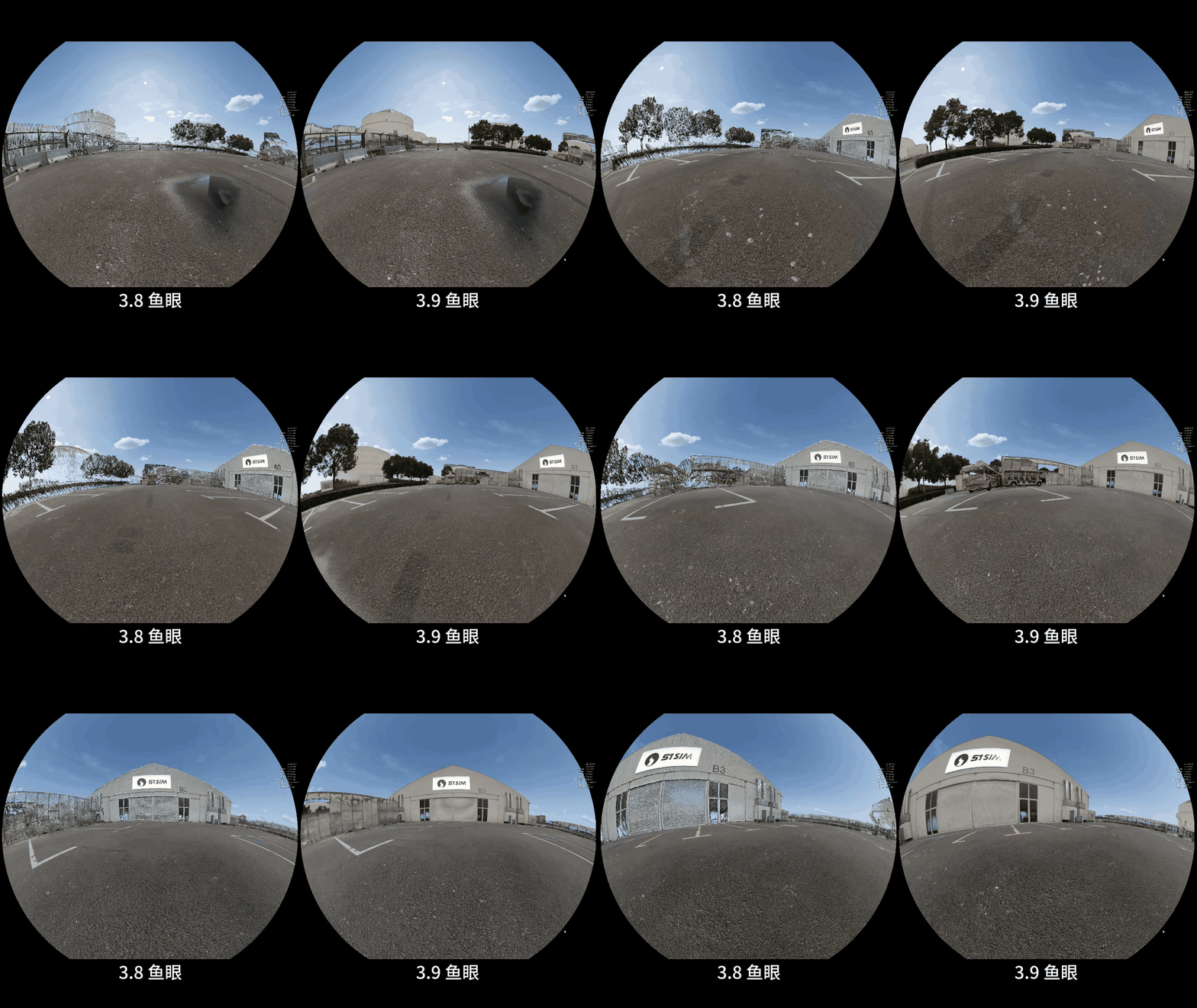
- Significant Performance Improvements: Frame rates for all sensor scenes are now stable at 60 FPS (2K camera: mean 32.7 → 60; 4K camera: 2.7 → 60; fisheye camera: 31.7 → 60), and GPU rendering load has been significantly reduced.
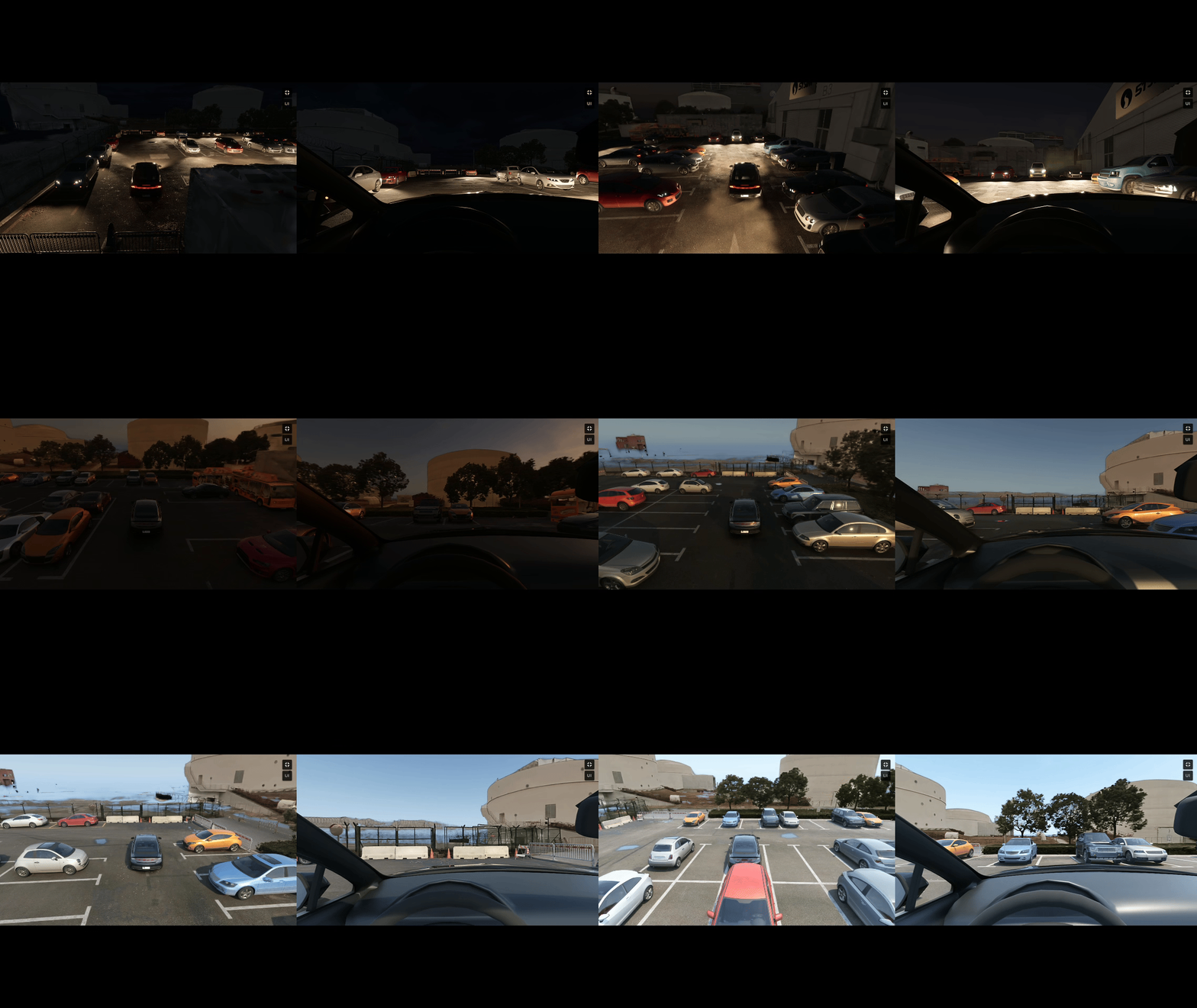
- Dynamic Lighting Support (TOD): 3DGS point cloud scenes can respond to ambient lighting changes over time, realistically simulating lighting variations across different times of day — including dawn, daylight, dusk, and night — to improve environmental realism in sensor simulation.
-
Optimized Tire Sinking/Lifting Issue for Traffic Objects: Improved the tire sinking or lifting issue for traffic objects on complex road surfaces, so tires adhere more closely to the ground.
-
Dynamics Fixes and Improvements:
- Wheel speed divergence at low speeds;
- Fix for dynamics parameter relaxation length table lookup;
- Improved calibration table logic;
- DDS issue fix;
- Bicycle steering issue in multi-vehicle control;
- Ground friction steering torque not working at low speeds;
- Exposed brake-stop threshold offset at the front end for user customization;
- Wheel-ground contact model.