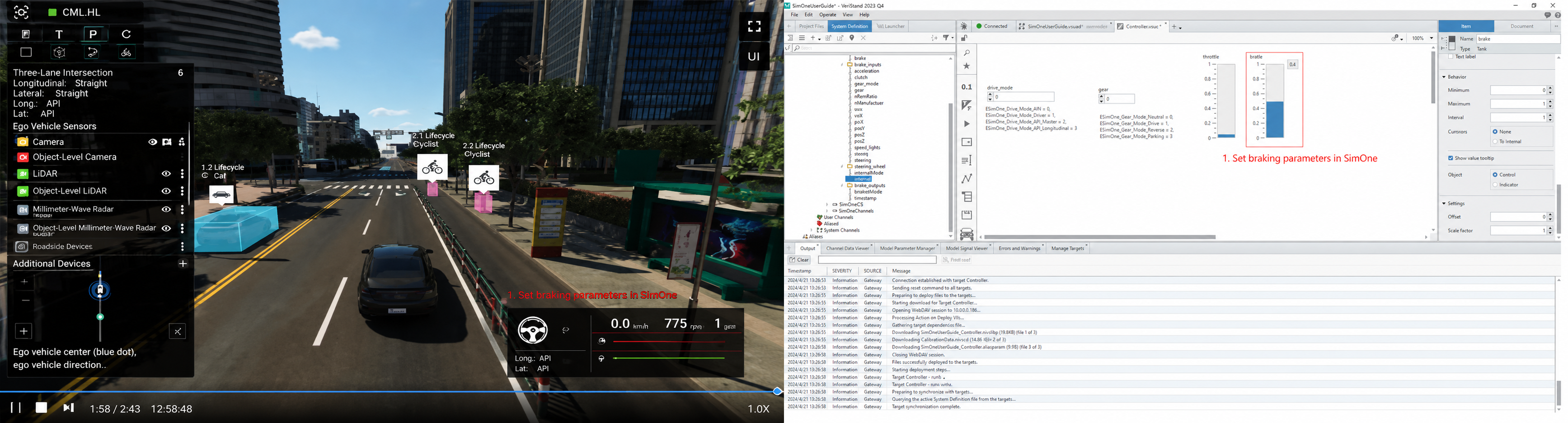
Ego Vehicle Control
1. Data Flow Overview
The ego vehicle control data flow originates from the control commands output by the ECU. These commands pass sequentially through the automotive bus, real-time target signal processing and protocol conversion, and are then delivered to the SimOne physics engine via Ethernet to drive updates to the ego vehicle's motion state. The data flow design must ensure accurate transmission of control commands and meet the latency and synchronization requirements of closed-loop control.
2. SimOne Configuration
(1) Select a use case;
(2) Run the use case;
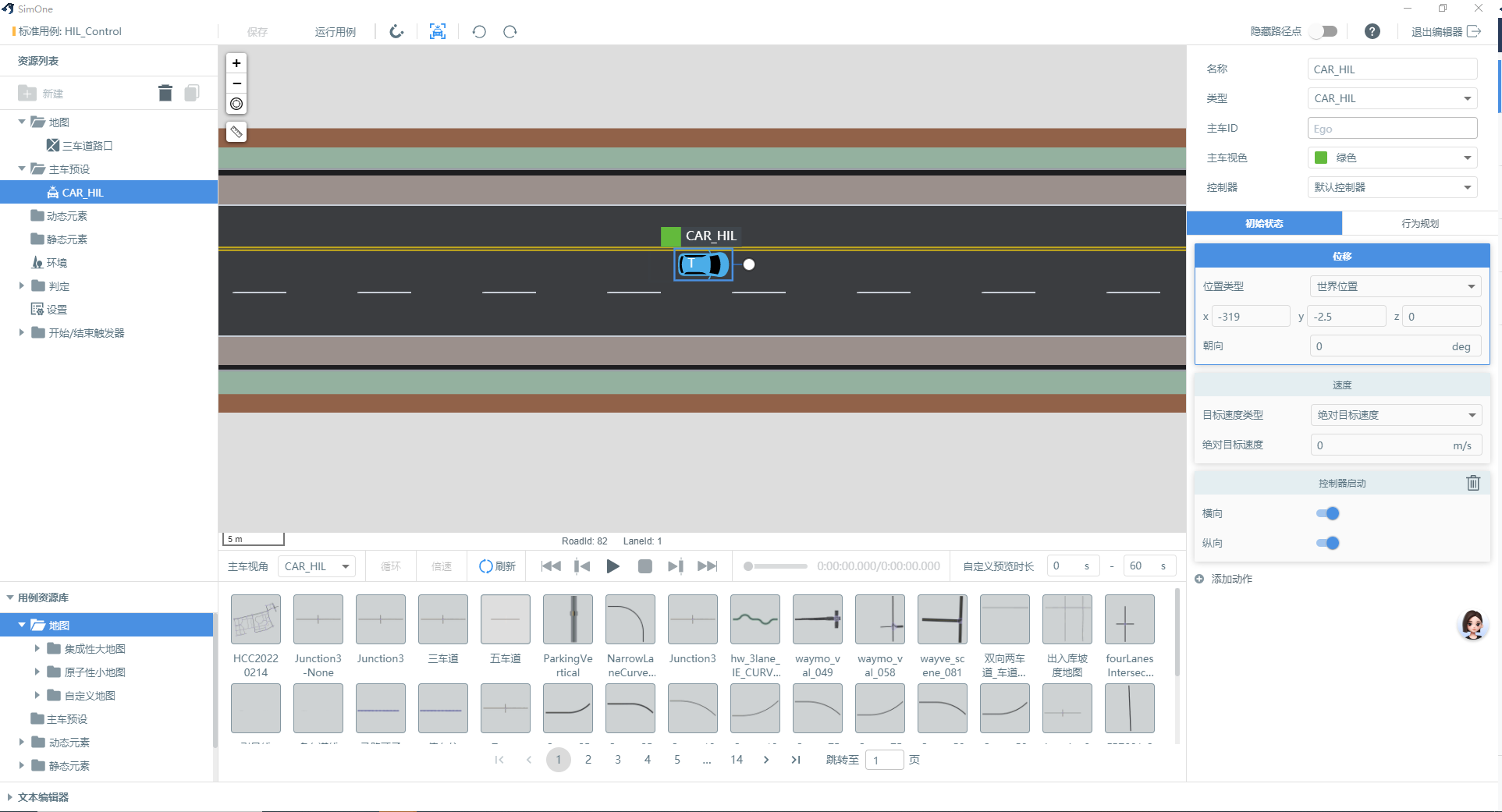
(3) Run Trans;
3. Real-Time Target Configuration
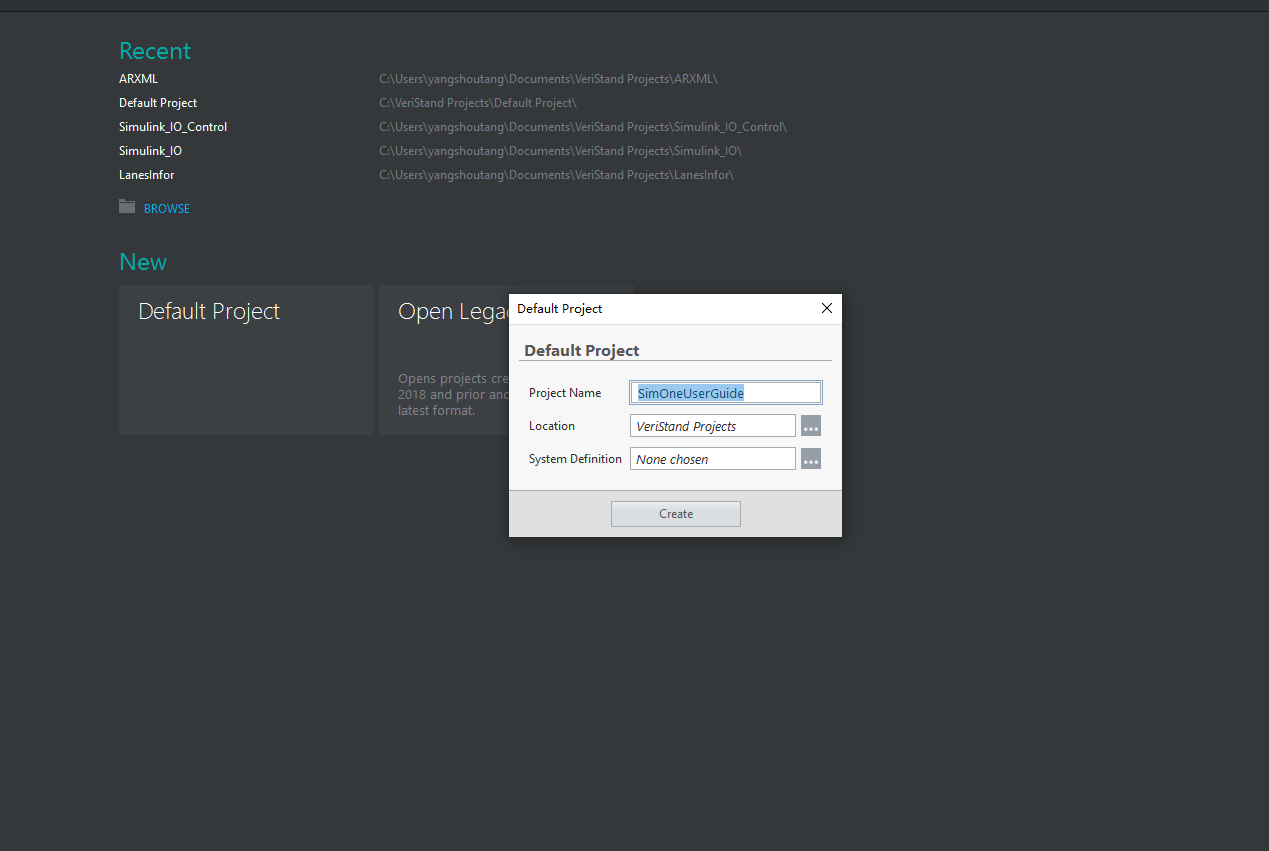
(1) Open VeriStand and create a new project;
(2) Load the SimOneControl model;
• Select Simulation Model;
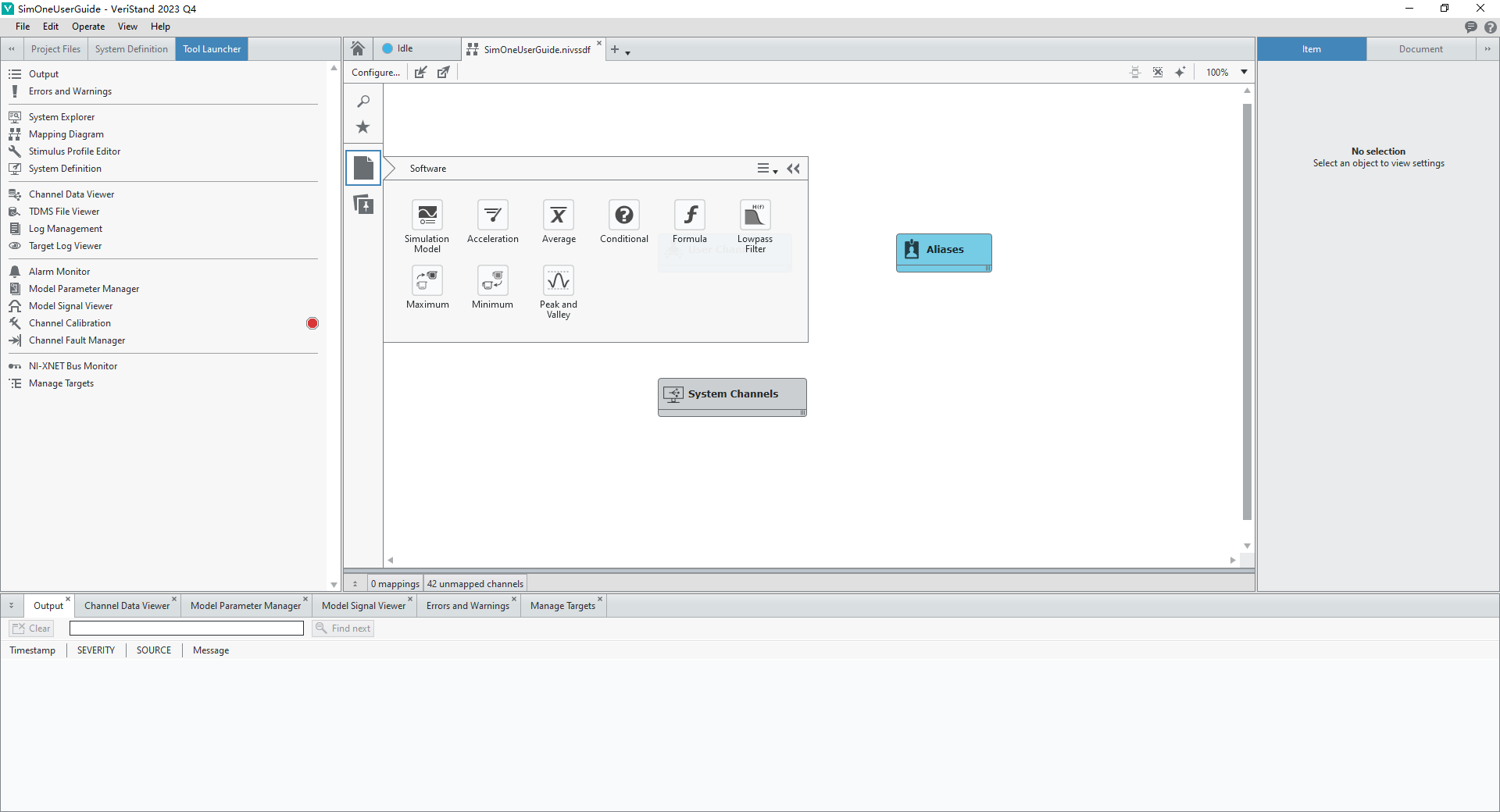
• Browse and select the SimOneControl model file;
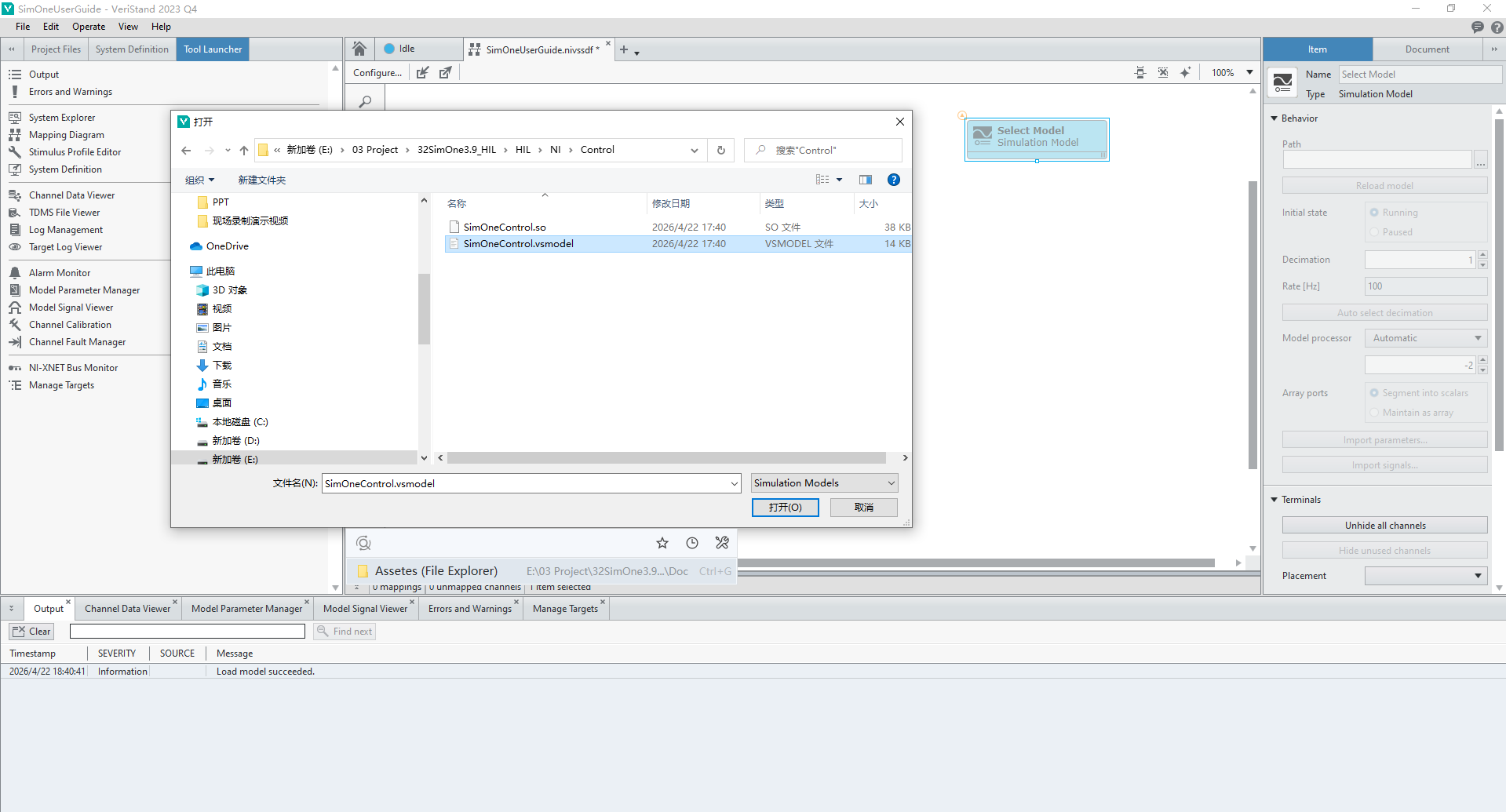
• Load the SimOneControl model into the VeriStand project;
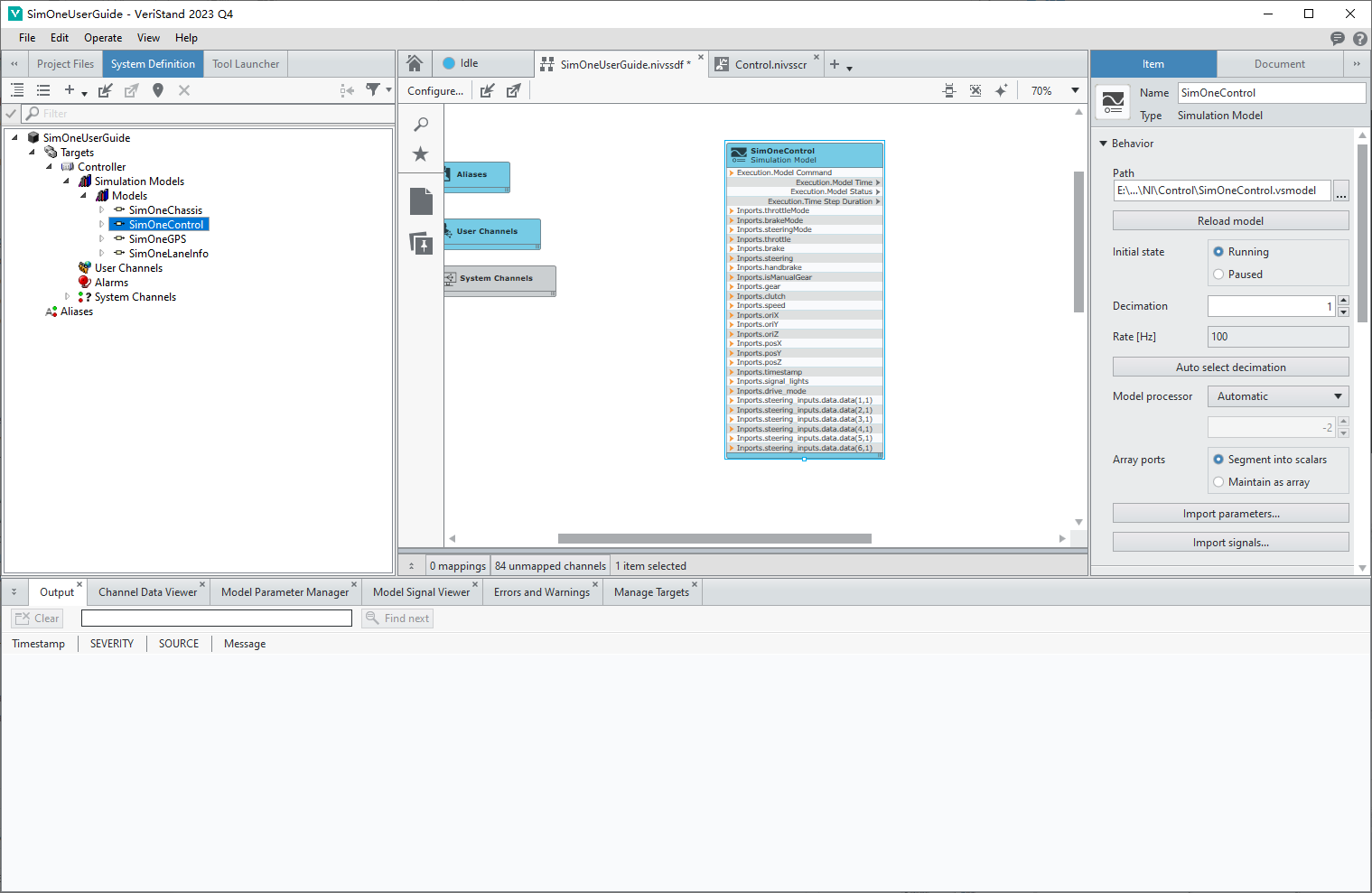
(3) Deploy the VeriStand project to ensure the SimOneControl model can correctly receive data from Trans;
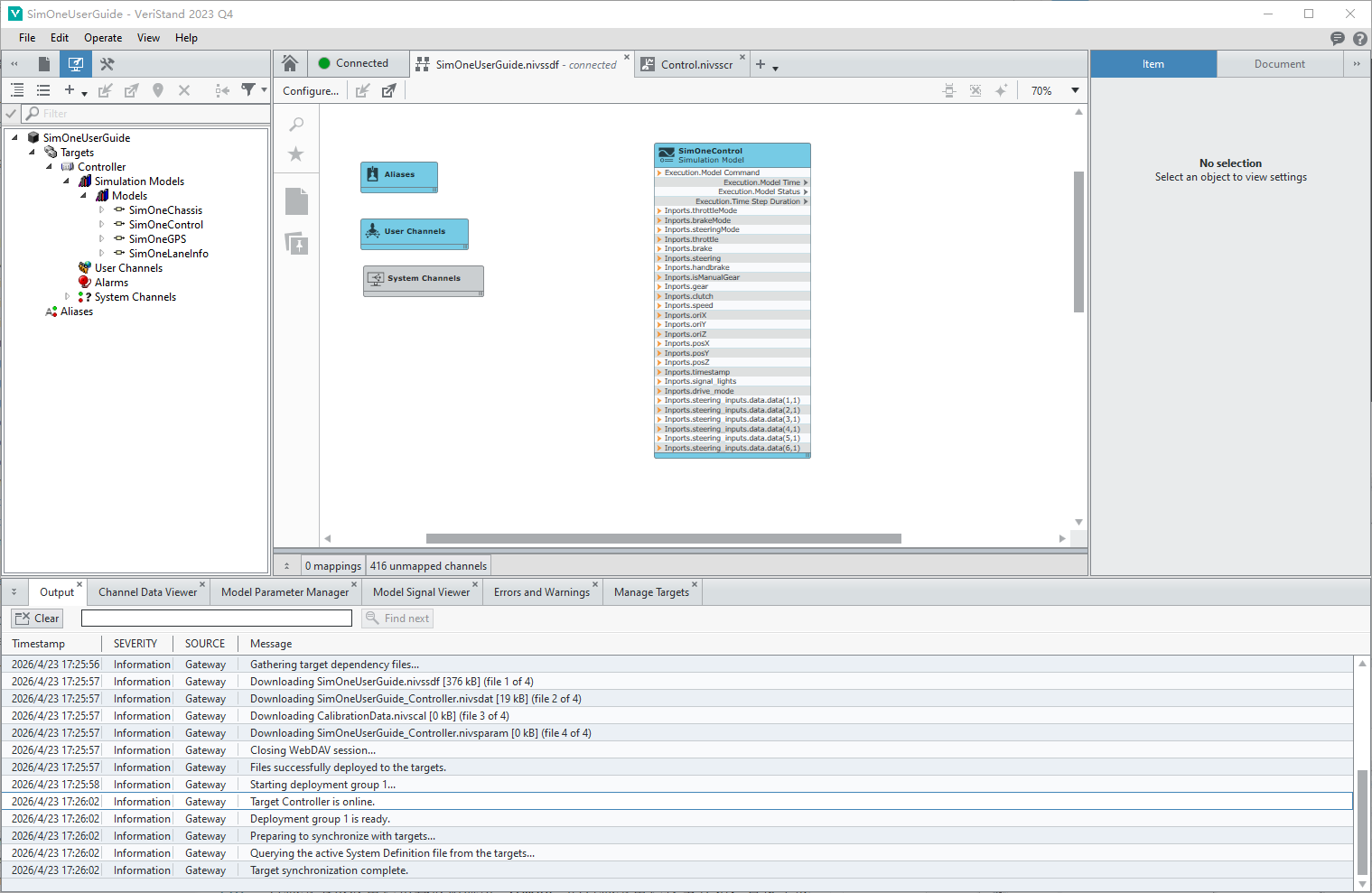
4. Closed-Loop Control Results
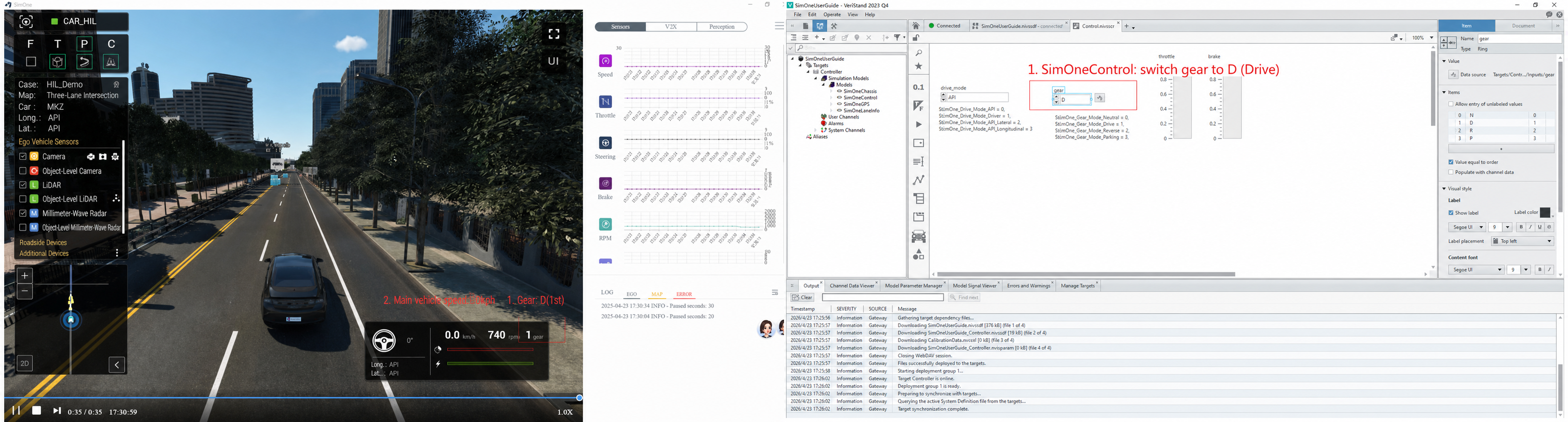
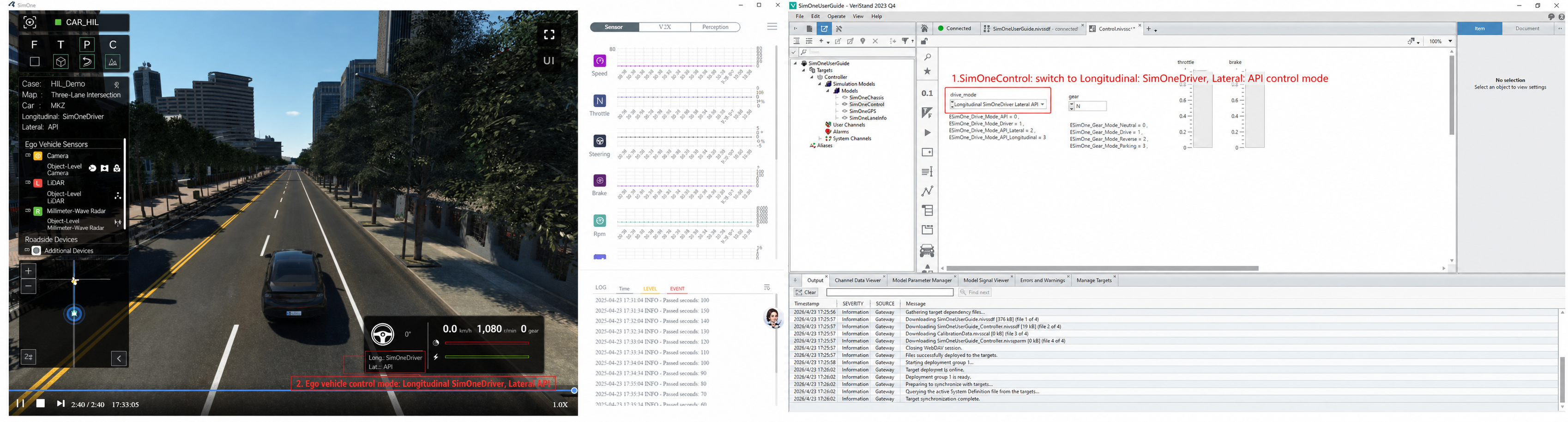
The enumeration values for control signals in VeriStand are defined as follows:
| drive_mode Value | Meaning |
|---|---|
| 0 | ESimOne_Drive_Mode_API |
| 1 | ESimOne_Drive_Mode_Driver |
| 2 | ESimOne_Drive_Mode_API_Lateral |
| 3 | ESimOne_Drive_Mode_API_Longitudinal |
| gear Value | Meaning |
|---|---|
| 0 | ESimOne_Gear_Mode_Neutral |
| 1 | ESimOne_Gear_Mode_Drive (D gear) |
| 2 | ESimOne_Gear_Mode_Reverse (R gear) |
| 3 | ESimOne_Gear_Mode_Parking |
(1) Gear switching
• D gear
• R gear
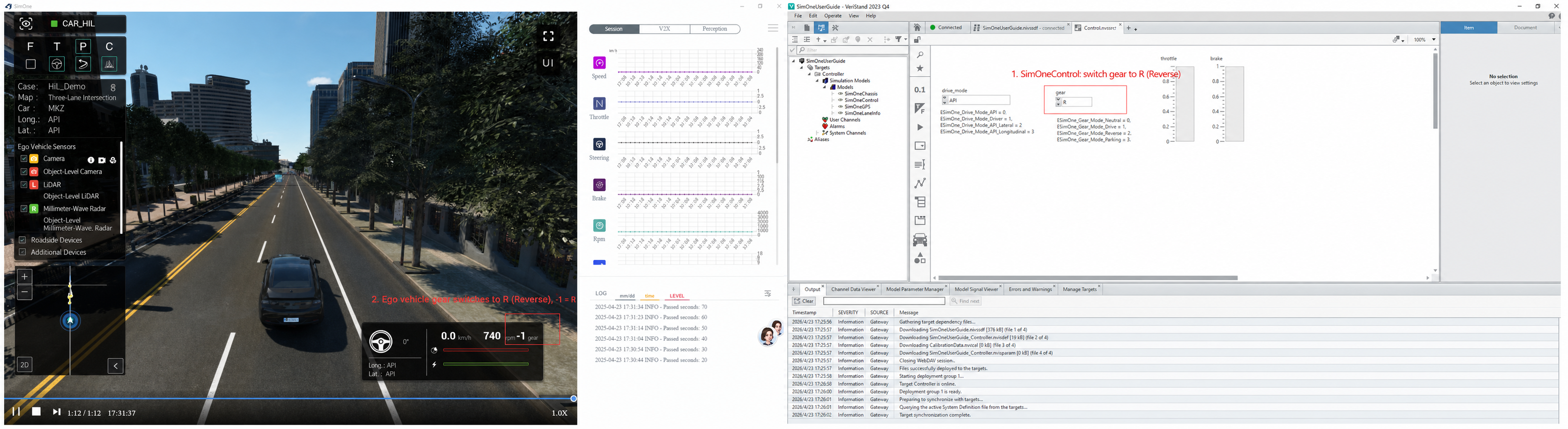
(2) Control mode switching
• API control
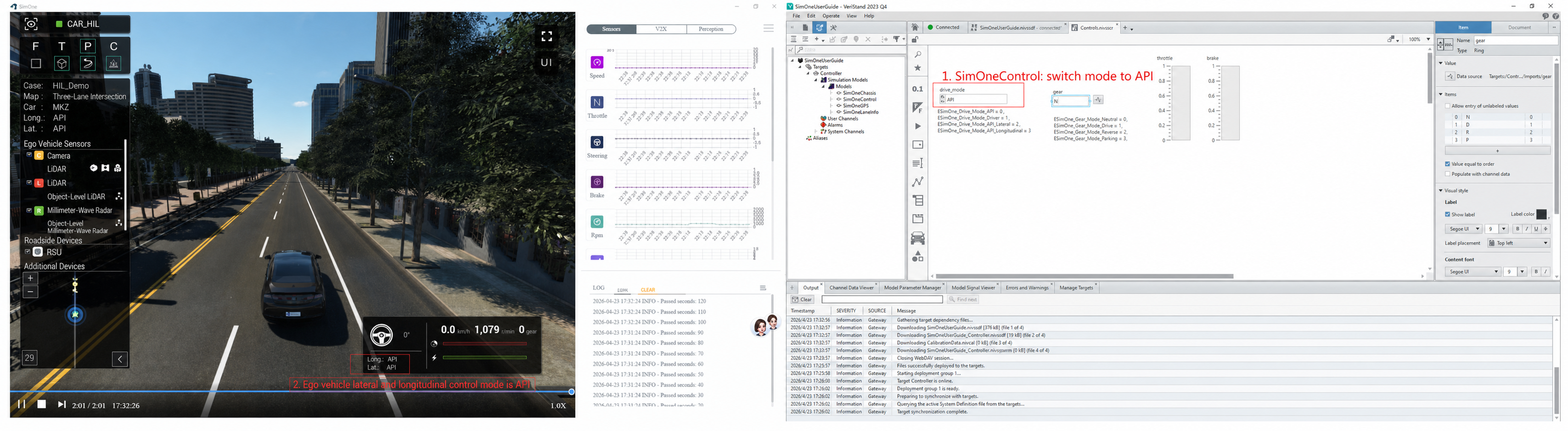
• Lateral control by SimOne & longitudinal API control
(3) Vehicle throttle control
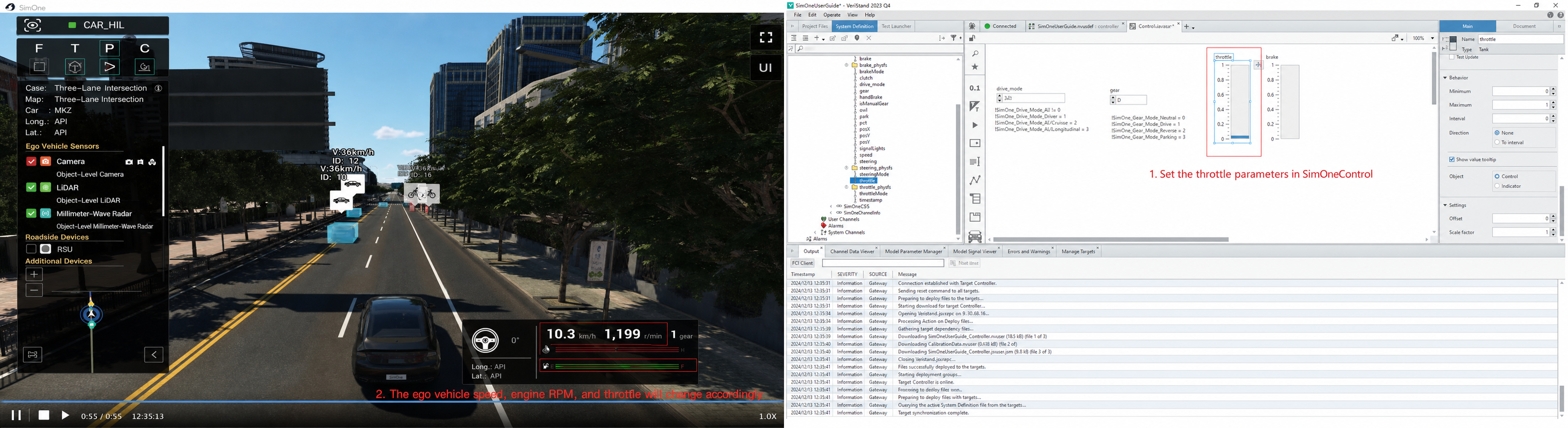
(4) Vehicle brake control