Product Uninstallation
The following applies to the Collaborative Edition — Client and Enterprise Edition (Windows).
1. Windows
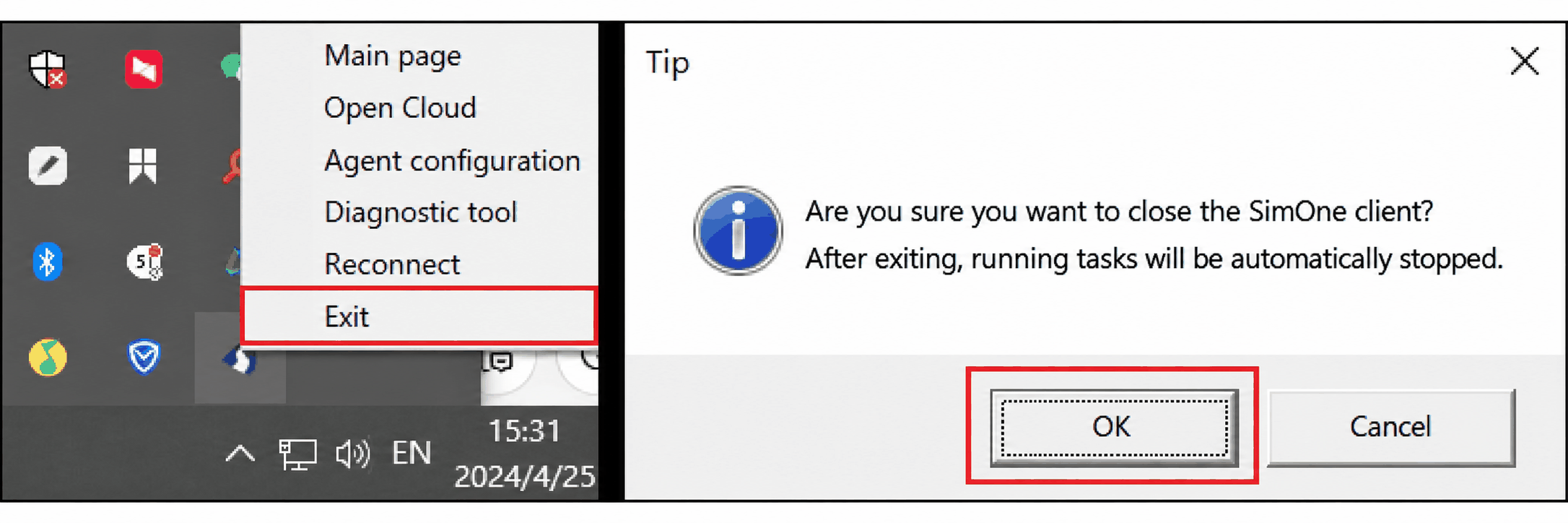
(1) Right-click the SimOneLauncher system tray icon, click Exit, and confirm that all running tasks are closed.
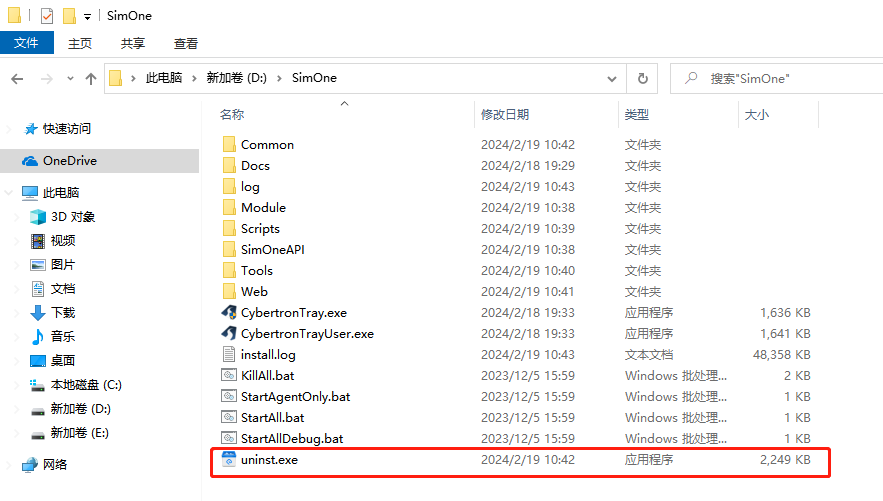
(2) Open the folder where SimOne is installed, click the uninst.exe application, and follow the prompts to uninstall SimOne.
When uninstalling an installed version of SimOne, you will be asked whether to keep user data:
Standalone Edition: Data includes created Use Cases, new Ego Vehicles, imported maps, and created tasks.
Collaborative Edition — Client: Data includes algorithms added on the client side and created tasks.
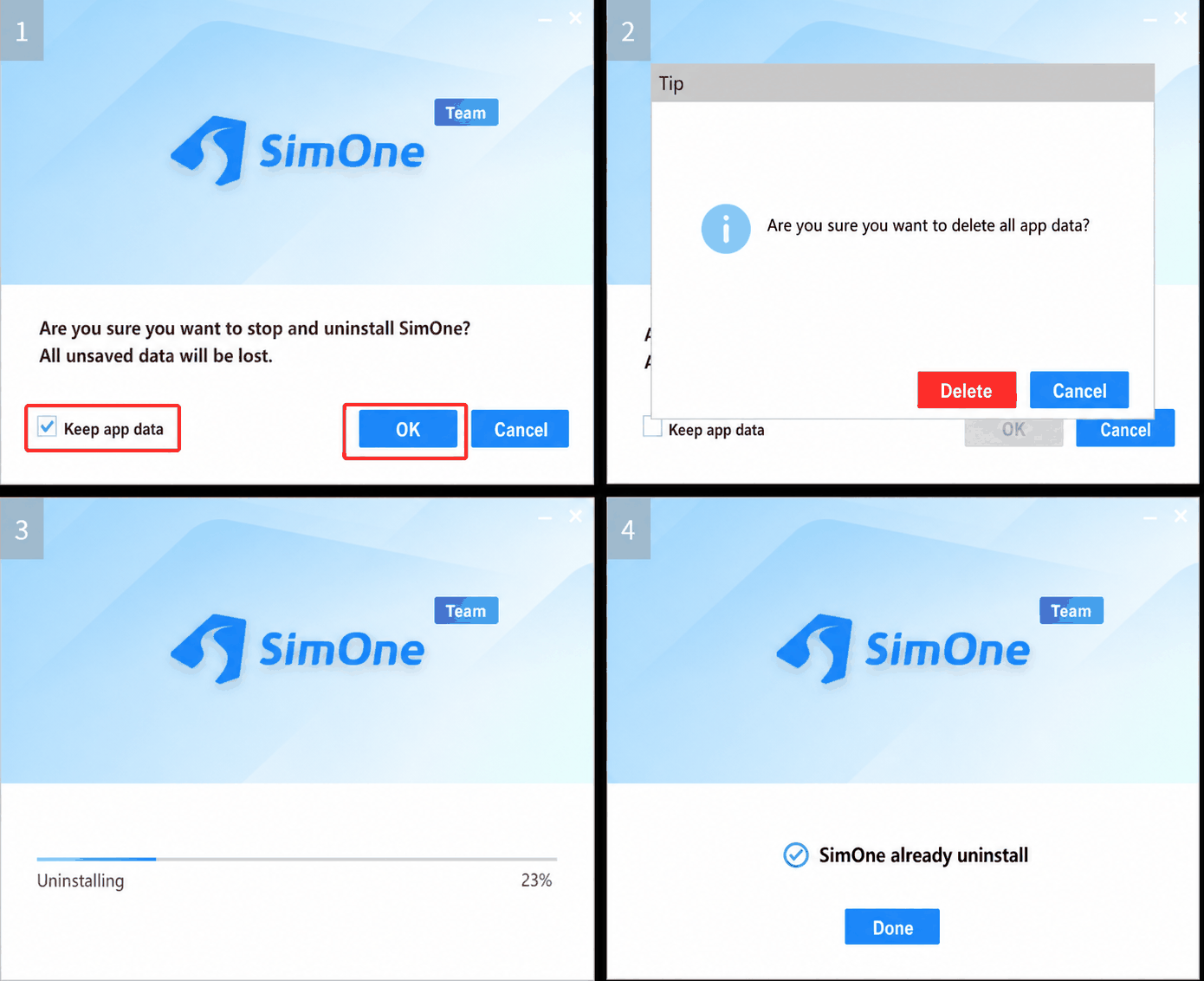
(3) Click Finish to complete the uninstallation.
The following applies to the Collaborative Edition — Client and Enterprise Edition (Linux).
2. Linux
(1) Use sudo docker ps -a to list containers, and sudo docker images to list images.
(2) After identifying the SimOne-related containers, use sudo docker rm XXX (where XXX is the container ID) to remove the containers, then use sudo docker rmi XXX (where XXX is the image name or ID) to remove the images. Uninstallation is then complete.